The Hidden Stress of IT Management: Save Your Sanity
June 2, 2026
What Is Least Privilege & How It Protects Capital
June 4, 2026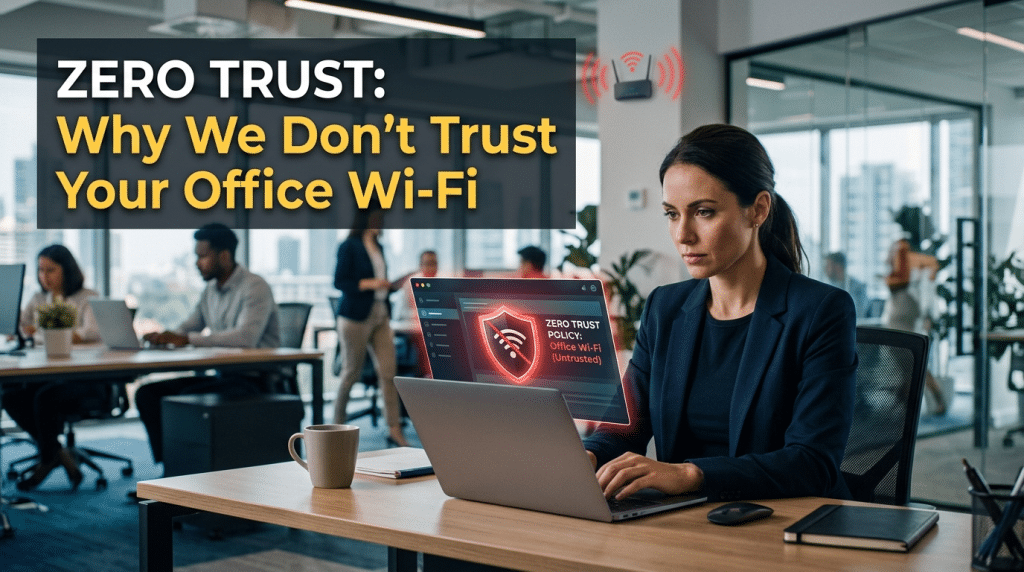
Shattering the Perimeter: Why Modern Security No Longer Trusts Your Office Wi-Fi Network
For years, the standard approach to corporate network security was built on a simple “castle-and-moat” philosophy. The office building was the castle, and the local office Wi-Fi network was the moat. Business leaders believed that as long as an employee was sitting at their desk, connected to the encrypted corporate Wi-Fi, they were inside a safe zone. Once a device successfully entered the correct network password, it was deemed trustworthy and granted broad access to internal file servers, databases, and corporate repositories.
As we navigate the business landscape of 2026, that traditional perimeter-based security model has completely collapsed.
Today, assuming that a device is safe simply because it is physically located in your building or connected to your office router is one of the most significant digital liabilities an enterprise can carry. Cybercriminals no longer need to breach your physical property to infiltrate your data; they exploit the unearned trust built into traditional local networks.
To protect your operations and guarantee long-term business continuity, organizations must transition to a Zero Trust Architecture—a model that assumes threats live both outside and inside the network perimeter at all times. Here is why we no longer trust your office Wi-Fi, and how a Zero Trust framework secures the modern workplace.
The Myth of the “Secure” Local Network
The fundamental vulnerability of traditional office Wi-Fi lies in the concept of implicit trust. In an old-school network layout, once a laptop bypasses the initial Wi-Fi password, the network stops asking questions. It implicitly trusts that the machine is clean, the user is authorized, and the traffic is legitimate.
This structural blind spot creates a massive opportunity for modern threat actors through several common attack vectors:
- Lateral Movement: If a single employee’s smartphone or laptop is compromised—perhaps because they clicked a phishing link while working from home or downloaded an infected file on a personal device—that compromised machine becomes a beachhead. When the employee brings that device into the office and connects to the Wi-Fi, the hacker can use the network’s implicit trust to move laterally across the local connection, scanning for vulnerable servers and encrypting corporate data.
- The Rogue Insider and Shadow IT: Not all threats are external. An unmanaged guest device, an unauthorized smart-office appliance (like an internet-connected coffee maker or printer), or an offboarded employee whose keys were never properly revoked can access local network traffic if the perimeter is the only line of defense.
- Credential Harvesting: Traditional network perimeters are entirely blind to stolen session tokens and compromised passwords. If an intruder steals an executive’s login data, a perimeter-based security system will welcome them straight through the front door, assuming they are the legitimate user simply because they entered the correct text code.
The Three Pillars of Zero Trust Architecture
Zero Trust eliminates the dangerous concept of a “safe zone.” The core mantra of this modern framework is simple: Never Trust, Always Verify.
Whether an employee is connecting from a coffee shop, their home network, or the primary executive boardroom, a Zero Trust environment treats every single connection attempt as potentially hostile. To enforce this, the architecture relies on three strict operational pillars:
1. Explicit Verification
The network never assumes an identity based on location or a password alone. Every time a user attempts to access a corporate resource—whether it is a shared drive or a cloud application—the system evaluates multiple real-time context variables. It continuously checks the user’s identity via biometric multi-factor authentication (MFA), assesses the health and patch compliance of the specific device, and verifies the geographic origin of the connection before granting entry.
2. The Principle of Least Privilege
In a Zero Trust environment, users are never given broad, open access to the entire network. Instead, access is strictly limited using micro-segmentation. An employee in Marketing only sees marketing tools; a representative in Accounting only sees financial portals. If a single device is compromised, the “blast radius” is completely contained within that micro-segment, preventing the threat from moving laterally across the company’s core infrastructure.
3. Continuous Anomaly Monitoring
Zero Trust does not stop inspecting a connection after the initial login clears. Automated security engines continuously monitor behavioral patterns in the background. If an account suddenly begins downloading unusually large volumes of data, attempting to access restricted code directories, or modifying administrative settings, the system immediately flags the anomaly, revokes access tokens, and isolates the device for inspection.
Implementing Frictionless Zero Trust Architecture
Transitioning away from an office-centric perimeter model does not mean creating a slow, frustrating user experience for your workforce. True defensive maturity relies on deploying smart, non-intrusive security perimeters that protect your team quietly in the background.
At Krypto IT, we help businesses implement low-friction Zero Trust frameworks by focusing on next-generation identity and network controls:
- Secure Access Service Edge (SASE): We replace traditional, clunky VPN tunnels with intelligent cloud-native perimeters. SASE establishes an encrypted, direct connection between the user and the specific application they need, completely bypassing the local office Wi-Fi and protecting data traffic regardless of physical location.
- Biometric Passwordless Logins: We eliminate password fatigue by integrating rapid facial recognition and fingerprint scanning (such as Windows Hello and Touch ID) into the authentication loop, keeping verification secure, unique, and under one second.
- Automated Device Health Compliance: We deploy continuous device posture checking. If an employee tries to access corporate data using a laptop with an outdated operating system or disabled antivirus software, the Zero Trust system automatically diverts them to a secure update portal, protecting the corporate environment from unpatched vulnerabilities.
Conclusion: Security Follows the User, Not the Building
In the modern digital economy, the physical office building is no longer the boundary of your business operations. Your data lives in the cloud, and your team operates from everywhere. Relying on a traditional office Wi-Fi perimeter to keep your assets safe is an outdated approach that leaves your backdoor wide open to sophisticated threats. By adopting a Zero Trust Architecture, you ensure that your defense follows the user wherever they go, creating a resilient, high-availability enterprise that stands secure against any intrusion.
Is your network security still relying on the myth of the safe office perimeter? Contact Krypto IT today for a comprehensive “Zero Trust Architecture Readiness Review” and let’s secure your digital boundary.