The Single Sign-On Audit: Streamlining Access Safely
July 23, 2026
Server Room Closets: Physical Security Risks
July 26, 2026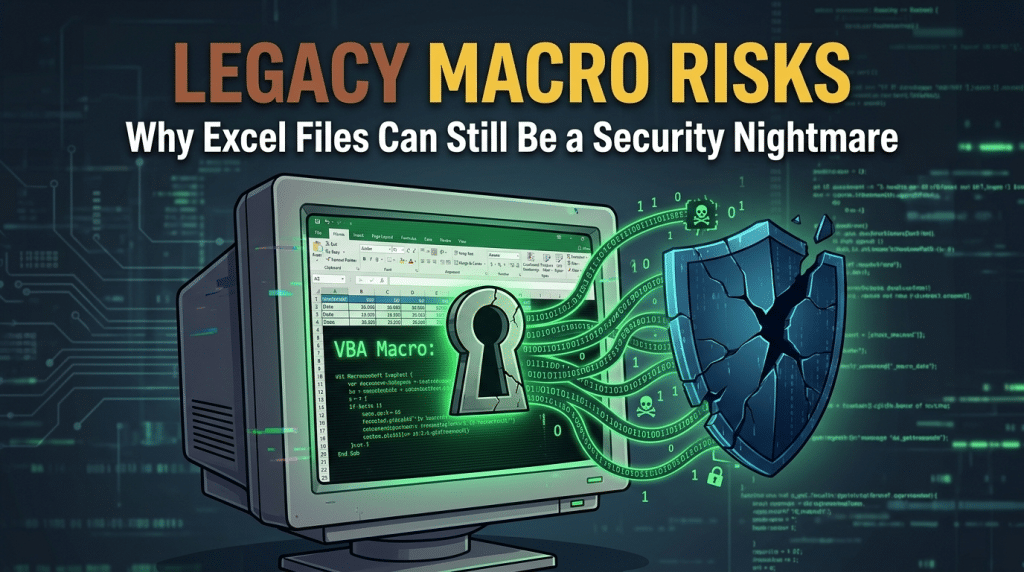
Legacy Macro Risks: Why Excel Files Can Still Be a Security Nightmare
For decades, Microsoft Excel has served as the operational backbone of modern business. From financial modeling and inventory tracking to complex data analysis, spreadsheets keep organizations running. However, beneath the surface of many daily workflows lies a persistent, legacy security threat: Visual Basic for Applications (VBA) macros.
Despite years of security warnings, software updates, and changing default settings, macro-enabled spreadsheets remain one of the most effective and heavily exploited attack vectors used by cybercriminals. Understanding why legacy macros present such a severe risk—and taking active steps to mitigate that risk—is critical for any organization relying on cloud or desktop office suites.
The Core Danger of VBA Macros
VBA is a built-in programming language developed by Microsoft to automate repetitive tasks within Office applications. A well-crafted macro can run complex calculations, pull data from external databases, or automate document creation with a single click.
The problem is that VBA was designed in an era long before modern zero-trust cybersecurity standards existed. By default, VBA code executes with the full permissions of the user logged into the workstation. If an employee with administrative privileges opens a macro-enabled Excel file, any code embedded within that file can execute malicious actions on their machine.
Cybercriminals frequently weaponize legacy macros because they bypass initial user skepticism. An employee expects to receive invoices, financial statements, or shipping manifests as Excel spreadsheets. Attackers take advantage of this familiarity through social engineering:
- Malicious Downloads: A macro can silently initiate a background process that downloads and installs secondary payloads, such as ransomware, remote access trojans (RATs), or credential stealers.
- System Manipulation: Embedded scripts can execute PowerShell or Command Prompt instructions to disable security tools, drop persistent backdoor access, or scan local network drives.
- Data Exfiltration: Malicious code can extract cached browser passwords, local network information, or sensitive financial data and send it directly to an attacker’s server.
Why Default Settings and User Training Aren’t Enough
In recent years, Microsoft introduced stronger default protections, such as blocking macros in files downloaded directly from the internet and displaying prominent warning banners (“Mark of the Web”). While these steps help, relying on built-in prompts or employee caution alone leaves dangerous security gaps:
1. Social Engineering Tricks
Attackers regularly design spreadsheets with fake “preview” screens that explicitly instruct users to click “Enable Content” or move the file out of their Protected View folder to render the document properly. Under the pressure of daily workloads, employees frequently comply without realizing they are running unauthorized code.
2. Trusted Locations and Internal Spreadsheets
Legacy business workflows often rely on shared network folders designated as “Trusted Locations.” If an attacker manages to compromise a low-privilege user account or shared drive, they can place macro-laden files directly into these trusted environments, bypassing Microsoft’s default web-based blocking entirely.
3. File Extension Confusion
Standard Excel files use the .xlsx extension, which cannot store executable VBA macros. However, macro-enabled spreadsheets use extensions like .xlsm or .xlsb—and legacy .xls formats. Many end-users do not notice the extra letter or different icon, making it easy to mistake a dangerous executable file for a harmless static sheet.
Modernizing Your Spreadsheet Security
Protecting your company from legacy macro risks doesn’t mean stopping your team from using Excel. Instead, it requires replacing passive default settings with managed, proactive controls.
At Krypto IT, we help businesses secure legacy software risks while maintaining employee productivity:
- Attack Surface Reduction (ASR) Rules: We enforce central policies that block Office applications from creating child processes, running executable code, or executing Win32 API calls via macros.
- Centralized Macro Governance: We implement group policies that disable unsigned macros outright, restricting macro execution exclusively to trusted, cryptographically signed enterprise templates.
- Workflow Modernization: We assist teams in migrating legacy VBA workflows to modern, cloud-native automation tools like Microsoft Power Automate, which run securely without local code execution risks.
- Endpoint Detection and Response (EDR): We deploy behavioral monitoring that flags and isolates abnormal process executions in real time, ensuring that even if a user enables a malicious macro, the attack is contained before it spreads.
Conclusion: Leave Legacy Vulnerabilities Behind
VBA macros were built for a different tech era. Allowing unmanaged, legacy code to execute freely on your business devices exposes your network to unnecessary, high-impact risks. By modernizing your security policies and replacing outdated macros with secure automation, you can protect your company’s data without slowing down your operations.
Are legacy spreadsheets hiding unmonitored security risks in your environment? Contact Krypto IT today for a Comprehensive Endpoint and SaaS Security Review, and let’s secure your workflows.