Active Defense: Catching Cyber Intruders with Decoys
July 14, 2026
Hidden API Risks: Is That Third-Party Add-on Stealing Your Data?
July 16, 2026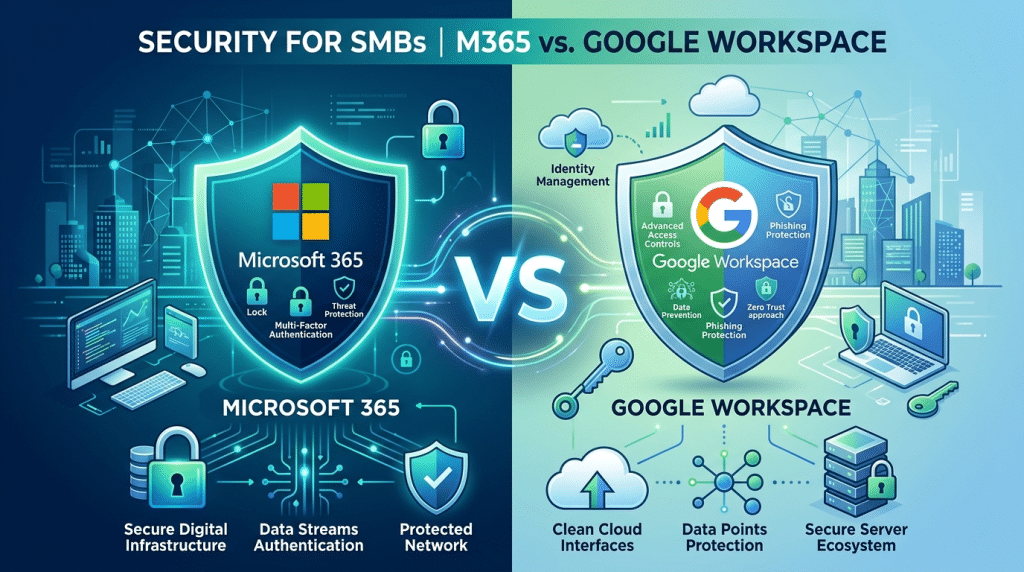
Google Workspace vs. Microsoft 365: Which Offers Better Security for SMBs?
When small to medium-sized business (SMB) leadership teams evaluate the foundational components of their cloud productivity infrastructure, the decision almost always comes down to a choice between two industry titans: Google Workspace and Microsoft 365. For years, this choice was driven entirely by user experience preferences and routine operational familiarity. Teams that preferred a browser-native, collaborative layout gravitated toward Google, while organizations that required deep spreadsheet computing, desktop app processing, and established legacy workflows standardly deployed Microsoft.
However, in the modern landscape of highly organized, predatory cybercrime, choosing a business suite can no longer be treated as a simple usability conversation.
SMBs are currently the primary target for advanced persistent threat actors, business email compromise (BEC) syndicates, and automated ransomware networks. Cybercriminals fully understand that while enterprise organizations protect their perimeters with dedicated security operations centers, smaller businesses are often under-resourced, making them the path of least resistance. Because your productivity ecosystem houses your entire corporate treasury, client data repositories, and critical network assets, the security architecture of the platform you choose is your most important shield. To protect your capital and reduce structural risk, leadership must look past individual software apps and understand how Google Workspace and Microsoft 365 stack up across three core pillars of enterprise security.
1. Zero-Trust Architecture: Browser-Native vs. Desktop Ecosystems
The most fundamental divergence between the two platforms lies in their underlying architectural design, which directly impacts your physical and digital attack surface.
Google Workspace was built from the ground up to be completely browser-native. Files are stored, edited, and shared entirely within the cloud web layer using specialized formats like Google Docs and Sheets. Because the ecosystem does not rely on local desktop application binaries, it naturally mitigates a massive array of endpoint threat vectors. In a standard Google environment, an employee cannot easily download a macro-enabled malicious file that executes locally on their machine, corrupts the system registry, or spreads laterally across the local network. This structural separation makes Google Workspace highly resilient against traditional, file-based ransomware attacks.
Microsoft 365, by contrast, is anchored in its powerful heritage of local desktop software. While Microsoft offers robust web-based versions of its applications, the vast majority of SMB workforces still utilize the full desktop versions of Word, Excel, and Outlook. This creates a much wider attack surface. Threat actors actively write complex malware, macro scripts, and endpoint exploits designed specifically to target vulnerabilities within installed desktop software. If an unmanaged or unpatched workstation opens a compromised Excel spreadsheet, the threat can execute locally, compromise the device, and try to leap into the cloud directory.
While Microsoft delivers highly sophisticated endpoint detection and management tools to counter this risk, it places a heavy security administration burden on the SMB to maintain proper patch levels and device hardening rules.
2. Platform Security Configurations: Out-of-the-Box Defaults vs. Deep Control
For a small business without a massive internal IT security team, how a platform behaves out of the box heavily influences its day-to-day security posture.
Google Workspace prioritizes an intuitive, highly centralized administrative control model. Its default configuration leans heavily toward structural safety, automatically turning on key protections behind the scenes. For example, Google’s advanced spam and phishing isolation engines run with minimal administrative tuning, filtering out the vast majority of malicious inbound links before they hit a user’s inbox. Managing identity access, forcing multi-factor authentication (MFA), and tracking basic data sharing streams within the Google Admin Console is straightforward, allowing a non-specialist administrator to maintain a relatively clean environment.
Microsoft 365 approaches security from an engineering perspective, offering an unmatched level of granular control, logging visibility, and policy configuration through Microsoft Entra ID and Purview. If your SMB operates within a highly regulated industry (such as healthcare, defense contracting, or banking) that requires custom data loss prevention policies, strict geographical access rules, and deep forensic audit retention trails, Microsoft 365 is incredibly powerful.
However, this depth of control introduces a major risk factor for SMBs: misconfiguration vulnerability. Microsoft’s factory settings are frequently designed for wide-open collaboration and zero onboarding friction. Critical features—like blocking external auto-forwarding, restricting tenant directory browsing to administrators only, and locking down anonymous file sharing—are often left wide open or turned off by default. An SMB running Microsoft 365 on standard out-of-the-box parameters is often far more exposed than one running Google Workspace on its factory baselines, simply because securing the Microsoft environment requires professional, intentional tuning.
3. Threat Intelligence and Phishing Resistance
Both tech giants leverage massive, global telemetry networks to detect and block threats in real-time, but their methodologies yield slightly different results at the inbox layer.
Google’s threat intelligence engine is deeply integrated with its search, browser, and email infrastructure. Google Workspace utilizes highly responsive machine learning algorithms to evaluate incoming email context and lookalike text strings, making it exceptionally fast at spotting and isolating novel phishing campaigns and credential harvesting pages. Furthermore, Google has fully embraced a passwordless future, allowing SMBs to easily implement hardware-bound passkeys that strip away the threat of standard text-string credential theft.
Microsoft operates the Intelligent Security Graph, processing trillions of diverse signals daily across global enterprise networks, operating systems, and email endpoints. This scale allows Microsoft to deliver elite, pro-active defense mechanics, particularly against sophisticated Business Email Compromise (BEC) and invoice redirect schemes. When paired with advanced Conditional Access policies, Microsoft can analyze real-time context—such as device health, location anomalies, and sign-in velocities—to block suspicious access attempts instantly. However, maximizing these protections typically requires upgrading to premium tier licensing (such as Business Premium or Enterprise E5), whereas Google includes its core email filtering engines across all baseline business plans.
The Verdict: Aligning Platform to Internal Capability
Ultimately, neither platform delivers an absolute, automatic security victory for every small business. The right choice depends entirely on your company’s operational capability, infrastructure maturity, and compliance needs:
- Choose Google Workspace if: Your SMB prioritizes a low-maintenance, browser-native model that naturally reduces local malware execution risks and stays secure with clean, intuitive administrative controls.
- Choose Microsoft 365 if: Your organization is deeply integrated with desktop computing, faces strict regulatory compliance audits, and possesses the professional IT resource depth to intentionally configure, monitor, and maintain a highly secure, granular cloud perimeter.
Regardless of the platform you deploy, a productivity ecosystem is only as resilient as the security policies that govern it. Leaving your core business suite to run unmanaged or un-audited is a risk no growth-minded company can afford to carry.
Are you entirely confident that your company’s current Google Workspace or Microsoft 365 configuration is properly locked down against modern phishing, data leaks, and identity threats? Contact Krypto IT today for a comprehensive Cloud Infrastructure and Security Baseline Readiness Review, and let’s harden your digital boundary.