DNS Security: The Invisible Traffic Cop Protecting Your Staff from Malicious Sites
December 19, 2025
Is “Good Enough” IT Holding Back Your Business Growth in 2026?
December 22, 2025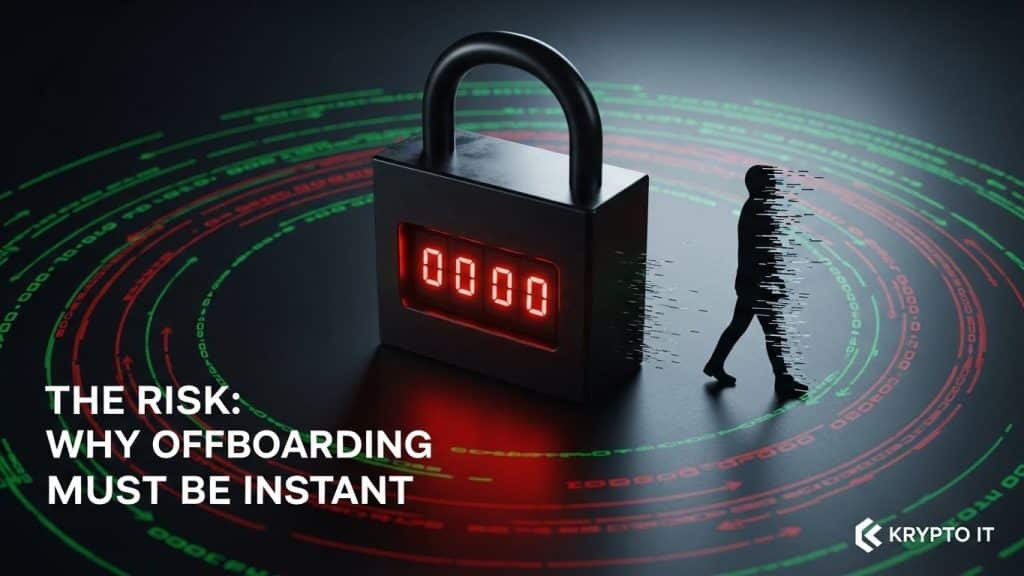
By the Team at Krypto IT | Cybersecurity Experts Serving Houston SMBs
In the fast-paced world of Houston business, hiring new talent is always an exciting milestone. You spend weeks onboarding, setting up workstations, and granting access to the tools needed for success. However, the opposite end of that lifecycle—offboarding—is often handled with far less precision.
Whether an employee leaves on good terms for a new opportunity or is terminated under difficult circumstances, the security risk remains the same. A departing employee who retains access to your network, even for an hour after their departure, represents a massive vulnerability.
At Krypto IT, we’ve seen how “orphaned accounts” and unrecovered hardware can lead to data breaches, compliance violations, and intellectual property theft. For a small to medium-sized business (SMB), a single oversight during offboarding can be devastating.
This guide provides a comprehensive security checklist to ensure that when someone leaves your company, they don’t leave your digital doors wide open.
The Risk: Why Offboarding Must Be Instant
The primary threat during offboarding isn’t always malice; often, it is simple negligence. However, the risks fall into three dangerous categories:
- The Insider Threat: A disgruntled former employee may attempt to delete files, steal client lists, or sabotage systems as “revenge” for their termination.
- The Orphaned Account: An account that is left active but unmonitored is a gift to hackers. If a former employee’s password was compromised in a separate breach (credential stuffing), an attacker can use that active account to enter your network undetected.
- Data Leakage: If a former employee still has access to cloud storage (like OneDrive or Dropbox) on their personal devices, your proprietary data stays with them long after they’ve turned in their keys.
The Ultimate Technical Offboarding Checklist
To protect your SMB, your IT department or managed service provider (MSP) must execute these steps the moment the departure is official.
1. Disable Identity and Access Management (IAM)
The most critical step is revoking access to the “Primary Identity.” In most modern businesses, this is the Microsoft 365 or Google Workspace account.
- Action: Disable the account immediately. Do not delete it yet—you may need to audit the contents or transfer files—but change the password and revoke all active sessions across all devices.
- MFA: Disable and remove any registered Multi-Factor Authentication (MFA) devices or phone numbers associated with that user.
2. Revoke VPN and Remote Access
If your staff uses a VPN or Remote Desktop (RDP) to work from home, these connections must be severed instantly. A former employee sitting in their living room should not be able to “tunnel” back into your server.
3. Change Shared Passwords
Even if you use a Password Manager (which we highly recommend), you must identify any shared accounts the employee had access to.
- Action: If your team shares a login for a social media account, a specific vendor portal, or a piece of legacy software, that password must be changed immediately for the entire remaining team.
4. Recover Physical Assets
A laptop or smartphone is more than just hardware; it is a key to your kingdom.
- Action: Collect all company-issued laptops, tablets, and mobile phones.
- Asset Audit: Check for any “Shadow IT”—unauthorized USB drives or external hard drives the employee may have used to back up data.
- MDM Wipe: If the employee used a personal phone for work, use your Mobile Device Management (MDM) tool to perform a “Corporate Wipe,” removing only business emails and apps without touching their personal photos.
5. Secure Physical Access
Physical security and digital security are two sides of the same coin.
- Action: Deactivate building key fobs and ID badges. If your office uses physical keys or keypad codes, consider re-keying the locks or changing the master code if the departing employee had high-level access.
6. Email Forwarding and Auto-Responders
You need to maintain business continuity while ensuring the former employee is no longer the point of contact.
- Action: Set up an auto-responder on the former employee’s email directing clients to a new point of contact. Forward all incoming mail to a manager to ensure no critical client requests or invoices are missed.
Automation: The Krypto IT Approach
For many Houston SMBs, this checklist is manually managed via a paper form or an email chain. This leads to human error. At Krypto IT, we advocate for Automated Offboarding.
By using centralized Identity Providers (IdP) and Single Sign-On (SSO), we can help your business “kill the switch” with a single click. When you disable a user in the central directory, they are automatically logged out of every connected app—from Slack to your CRM to your accounting software.
This eliminates the “forgotten account” problem and ensures that your security posture remains airtight, regardless of staff turnover.
Is your offboarding process a security risk? Contact Krypto IT today for a complimentary review of your IAM policies and offboarding workflows.