What is a DDoS Attack? How Your Small Business Can Survive Being Flooded
December 10, 2025
The Security Self-Checkup: 5 Free Tools to Scan Your Own Network
December 12, 2025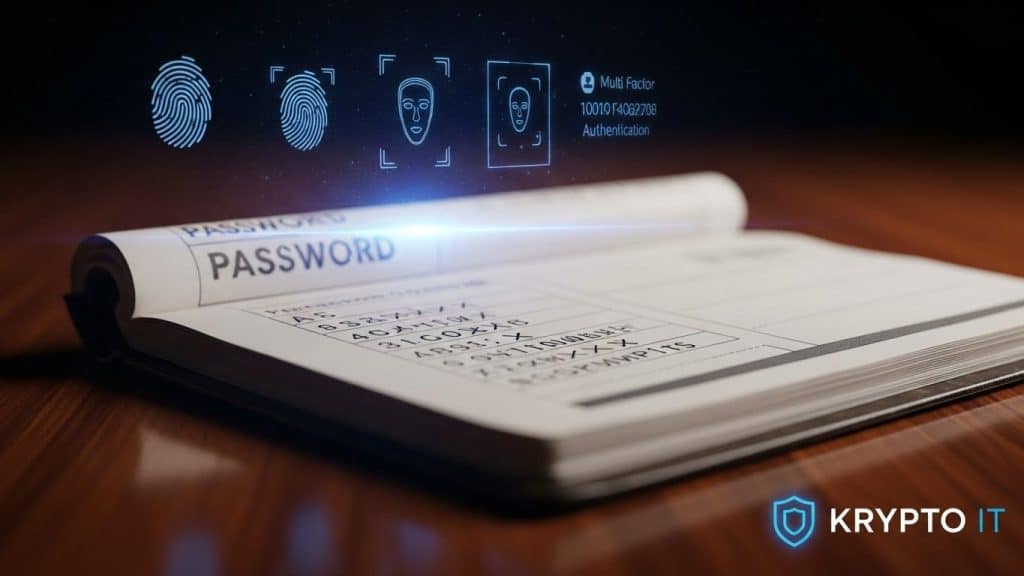
By the Team at Krypto IT | Cybersecurity Experts Serving Houston SMBs
For decades, the password has been the cornerstone of digital security. It’s also been the single largest point of failure. Despite countless warnings, mandatory complexity rules, and security awareness training, the system is fundamentally broken. Passwords are forgotten, reused, and, most critically, easily stolen through phishing and data breaches.
For a small to medium-sized business (SMB), reliance on passwords exposes you to devastating threats like credential stuffing and account takeover. The good news? The technology to eliminate this risk is finally here. We are entering a new era of authentication built around Biometrics and Passkeys.
At Krypto IT in Houston, we are actively helping our clients transition to these stronger, faster, and simpler methods to achieve true passwordless security. This guide explores the future of secure login and why your SMB must embrace it now.
The Password Problem: Why the System is Broken
The core flaw of the password system is that it relies on a shared secret (a string of text) that must be remembered by a human and is stored somewhere—making it vulnerable at multiple points.
- Phishing: Passwords can be tricked out of a user via fake login pages.
- Breach: If a website is hacked, the password hashes are stolen, often leading to plaintext recovery.
- Credential Stuffing: As we’ve previously discussed, password reuse allows one stolen login to compromise dozens of accounts.
Passwords are the weakest link in your Identity and Access Management (IAM) chain. The solution isn’t making passwords longer; it’s getting rid of them entirely.
Step 1: Biometrics as a Local Key (The “Who You Are”)
Biometrics—fingerprint scanners, facial recognition, and iris scans—are not a new concept, but their role in modern security is changing. They are used to quickly and securely unlock the primary device that holds the true authentication key.
- How They Work: Your fingerprint or face scan confirms that you are the person authorized to access the device. The biometric data itself is stored only locally on the device (e.g., in a secure enclave chip), never in the cloud.
- The Advantage: Biometrics offer immediate, convenient access while being almost impossible to steal remotely. Unlike a password, you cannot phish a fingerprint.
Biometrics provide the necessary security layer to access the next step in the process: Passkeys.
Step 2: Passkeys (The End of the Shared Secret)
Passkeys are the true replacement for passwords and represent the biggest shift in authentication since the internet began. They are built on the FIDO Alliance’s standards and use modern cryptography to authenticate without a shared secret.
How a Passkey Works:
- Unique Cryptography: Instead of a password, when you “create a passkey” for a service, your device (laptop, phone) creates two mathematically related keys: a public key and a private key.
- No Server Secret: The public key is stored on the service’s server (e.g., Google or Amazon). Crucially, the private key is stored only on your device.
- Authentication: When you log in, the service sends a challenge to your device. Your device uses the private key to solve the challenge. Because the public and private keys are mathematically linked, the service can verify the challenge was solved by the correct private key, granting access.
Why Passkeys Solve Every Password Problem:
- Phishing Proof: Since the passkey is mathematically generated and tied to a specific domain, phishing websites cannot trick your device into revealing the private key.
- Breach Proof: Even if the service’s server is hacked, all the attacker gets is the public key, which is useless for logging in. The private key remains safe on your device.
- Convenience: You simply click “Log in with Passkey” and use your device’s biometric sensor (face or fingerprint) to confirm it’s you. No typing, no guessing.
The Path to Passwordless for Your SMB
Transitioning your SMB requires careful planning, but the security benefits are immediate and profound.
1. Mandatory MFA Today
Passkeys are still rolling out, so your immediate, non-negotiable step remains Multi-Factor Authentication (MFA). Implement MFA everywhere—especially for cloud services (Microsoft 365, etc.). This prepares your team for the two-step verification mindset that passkeys automate.
2. Centralized Identity and Access Management (IAM)
You need a unified system to manage user identity and control access. Krypto IT deploys IAM solutions that integrate directly with Passkeys and biometrics, ensuring you can centrally enforce policies and deprovision accounts instantly.
3. Embrace Device Security (MDM)
Since the Passkey resides on the device, securing the device becomes paramount. Ensure all employee devices are enrolled in a Mobile Device Management (MDM) program that enforces:
- Full-disk encryption.
- Strong biometrics or passcodes.
- Remote Wipe capability (if the device is lost).
Krypto IT is already working with the latest enterprise platforms to integrate Passkeys. The cost of transition now is minimal compared to the cost of a credential-based breach tomorrow.
Don’t wait for your passwords to fail. Secure your future.
Ready to Transition to Passwordless Security?
Contact Krypto IT today for a complimentary IAM and Passkey readiness assessment. Let us move your Houston business beyond the risk of passwords.