Family PCs: Secure Work-From-Home Boundaries
September 11, 2026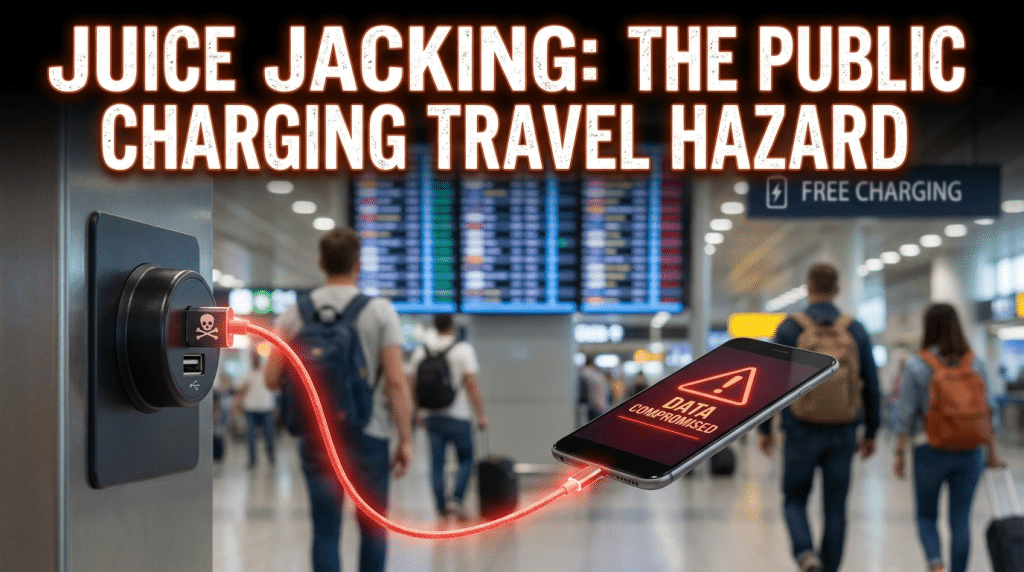
The Dangers of Public Charging Stations (“Juice Jacking”) During Business Travel
Business travel moves at a relentless pace. Between early-morning departures, rushed airport connections, rideshare commutes, and packed conference itineraries, modern executives and mobile employees rely entirely on their smartphones and laptops to stay productive.
Inevitably, device batteries run critically low at the most inconvenient times.
Seeing a free, public USB charging kiosk or a complimentary charging station at an airport gate, hotel lobby, or convention center feels like a lifesaver. Travelers plug in their devices without a second thought, eager for a quick battery boost before their next meeting or flight.
However, plugging a corporate device into an unverified public USB port introduces a stealthy physical attack vector known as juice jacking.
While a standard electrical wall outlet only transmits power, a USB cable is engineered to transfer both electrical power and digital data simultaneously. When you connect your device to an untrusted public USB port, you are not just drawing power—you may be opening a direct, physical data channel between your corporate device and an unseen, malicious system.
How Juice Jacking Actually Works
Juice jacking is a cyberattack in which a compromised USB charging port or modified charging cable is used to steal data from or install malware onto a connected device. Threat actors exploit the dual-purpose architecture of standard USB connections in two primary ways:
1. Covert Data Exfiltration
When a smartphone or tablet connects to a computer via USB, it automatically initiates a handshake to establish device pairing. If malicious hardware is hidden behind the kiosk panel, the system can automatically mount your device’s storage filesystem. Within seconds, automated scripts can scrape your local photo library, contact lists, cached authentication tokens, browsing history, and unencrypted corporate documents stored on the local drive.
2. Malicious Payload Installation
Advanced juice-jacking hardware can abuse standard USB communication protocols to deploy mobile malware, spyware, or keyloggers onto an endpoint. Once planted, these payloads can log employee keystrokes, siphon enterprise single sign-on (SSO) credentials, redirect internet traffic through proxy servers, or give threat actors persistent remote access to corporate email and client databases.
3. The “OMG” Cable and Physical Tampering
Threat actors do not always need to tamper with the kiosk itself. Attackers frequently deploy weaponized, custom cables—such as “O.MG” cables—that look completely identical to standard manufacturer charging cords. Attackers deliberately “forget” these cables plugged into airport kiosk ports or hotel bedside stations. An unsuspecting traveler picks up the abandoned cable to charge their device, unknowingly connecting to an active micro-implant capable of injecting malicious keystroke payloads wirelessly.
Why Modern Business Travel Amplifies the Risk
Corporate travelers are high-value targets for cybercriminals and industrial espionage operations:
- Elevated Privilege Access: Business travelers frequently carry devices authenticated into cloud environments, proprietary internal networks, customer databases, and sensitive communications channels.
- Cognitive Fatigue: Rushing through security checkpoints and managing tight schedules impairs security vigilance. Travelers prioritize convenience and immediate battery life over operational security.
- Public Transit Hub Exposure: International transit centers, conference facilities, and business-tier hotels see thousands of high-level professionals rotate through daily, making them ideal hunting grounds for opportunistic hardware attacks.
Practical Defenses for Securing Devices on the Road
Protecting corporate devices during travel does not require working in complete technological isolation. Enforce these practical travel protocols across your team:
1. Rely Exclusively on AC Wall Outlets
Always carry your own dedicated AC wall adapter (the power brick) and manufacturer-certified charging cable. Standard AC electrical outlets only transmit power and have no capability to transfer digital data. Plugging your brick into a wall socket completely eliminates the juice-jacking risk.
2. Carry Certified External Power Banks
Invest in high-capacity, enterprise-approved portable battery packs for traveling employees. A fully charged 10,000 to 20,000 mAh power bank can charge a smartphone multiple times and keep laptops powered through long travel days, completely eliminating the need to search for public charging kiosks.
3. Deploy USB Data Blockers (“USB Condoms”)
If an employee must use a public USB port in an emergency, require them to use a hardware USB data blocker. These compact, inexpensive adapters fit between the USB cable and the public port, physically severing the internal data pins while allowing only the power pins to complete a circuit. Data cannot physically flow through the connection.
4. Heed Device Prompts and Disable Automatic Trust
If a mobile device displays a prompt asking to “Trust This Computer?” when plugged into what appears to be a basic charging station, immediately disconnect the cable. Legitimate power sources never request pairing permissions or file access.
5. Enforce Centralized Mobile Device Management (MDM)
Configure endpoint policies through Mobile Device Management (MDM) to restrict USB data transfers when the screen is locked, disable automatic pairing protocols, and enforce full-disk encryption across all corporate mobile hardware.
Secure Your Mobile Workforce with Krypto IT
Modern cybersecurity extends far beyond office perimeters and firewalls—it must travel everywhere your team operates.
At Krypto IT, we help Houston-area and remote organizations build resilient mobile security strategies, deploy automated endpoint protection, and equip traveling staff with practical security protocols that neutralize physical and digital threats worldwide.
Are your traveling executives and hybrid employees properly defended against mobile hardware risks? Contact Krypto IT today to schedule a travel security and mobile device posture assessment.