Consolidation vs. Over-Tooling: Stop Software Waste
June 22, 2026
How an MSP Cuts Internal HR Costs When Hiring Tech Talent
June 25, 2026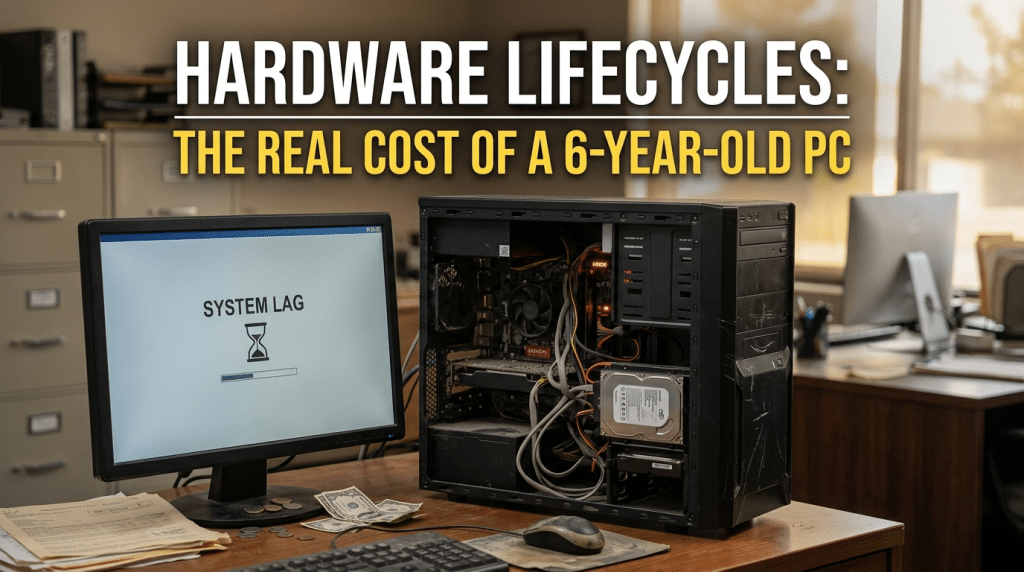
False Economy: Why Keeping a PC for Six Years Costs More Than Replacing It
When small business owners and financial managers look for areas to cut operational expenses, the company hardware budget is usually a primary target. It is easy to look at a row of office computers that are four or five years old and decide to stretch their lifespan for another year or two. The logic seems clear: if the machine still turns on, loads a web browser, and runs basic spreadsheets, buying a replacement feels like an unnecessary capital drain.
As we navigate the corporate marketplace, running computers until they completely fail is one of the most expensive financial mistakes a small business can make.
Holding onto a computer for six years does not save money; it merely trades a visible, predictable asset cost for an invisible, compounding operational tax. According to comprehensive industry data from Microsoft and Intel, the total cost of owning a PC that is more than four years old is actually enough to purchase two brand-new, modern business computers.
When a computer reaches year six, it is no longer a financial asset. It is an unmanaged liability that quietly drains employee output, inflates IT support fees, and exposes your network to devastating security vulnerabilities. To protect your company’s profit margins and maintain real operational resilience, leadership must understand the hidden numbers behind hardware lifecycles.
The Productivity Tax: Wasted Minutes on Slow Hardware
The heaviest financial penalty charged by technical aging is measured in lost workforce velocity. Computers naturally degrade over time due to component wear, battery deterioration, and thermal throttling, which significantly slows down data processing speeds. At the same time, the modern cloud applications your business relies on become heavier and more demanding with every software update.
When an employee is forced to operate on a six-year-old machine, they pay a daily speed tax. They waste minutes every morning waiting for the operating system to boot. They experience constant application freezing when switching between multiple browser tabs, and they deal with frequent software system crashes.
The time drain adds up fast. Extensive workplace studies show that employees lose an average of forty-two productive work hours every single year specifically due to technology delays caused by aging hardware. If you have an office of fifteen employees using obsolete machines, your organization is paying for over six hundred hours of zero output annually. You are cutting check sizes for hours your staff spends staring at loading icons.
The Escalation Loop: Emergency Repairs and Lost Support
When a business computer is under three years old, its maintenance costs are predictable and minimal, with almost all major component issues fully covered by the manufacturer’s original hardware warranty. Once a device crosses the four-year mark, that safety net completely vanishes, and the machine enters a period of accelerating hardware failures.
At year five and six, vital moving parts—most notably cooling fans, power supplies, logic boards, and laptop batteries—reach the absolute end of their operational lifespan. A recent global survey by Techaisle revealed that small businesses spend an average of four hundred and twenty-seven dollars annually on manual repairs and technical troubleshooting for every PC aged four years or older.
This break-fix maintenance approach creates two distinct financial problems:
First, it forces your business into high-cost tactical firefighting. Instead of managing a planned, predictable technology rotation budget, you face sudden capital spikes when an essential workstation dies during a busy production cycle.
Second, it triggers extreme administrative time waste. Older computers require more than twice the volume of helpdesk support calls compared to newer units, and those troubleshooting calls last significantly longer because technicians must work around legacy software incompatibilities.
The Definitive Security Exposure: The Windows 11 Boundary
The most dangerous cost associated with six-year-old hardware is the immediate threat of network intrusion. Modern cybercriminals do not target businesses by manually writing custom exploits; they use automated scanning bots to find old, unpatched systems connected to the public web.
Older hardware features a massive structural vulnerability: older processors lack the built-in, hardware-level security chips required to support modern operating systems like Windows 11. If your company is running PCs manufactured before 2018, those machines are locked out of current OS upgrades entirely.
This software limitation creates a massive liability. Operating systems eventually reach a hard End-of-Life (EOL) milestone where the developer completely stops releasing critical security updates, emergency bug fixes, and vulnerability patches. Running an EOL operating system on your network is the digital equivalent of leaving your office back door unlocked overnight. A single employee account compromise on an unpatched machine can give a hacker immediate access to move laterally across your server arrays, locate your financial records, and deploy network-wide ransomware.
Engineering a Frictionless, Predictable Lifecycle
Managing a secure, highly efficient workplace does not require throwing massive chunks of capital at unexpected hardware crises. True business maturity relies on moving away from reactive firefighting and implementing a structured, three-to-four-year proactive rotation framework.
At Krypto IT, we help growth-minded small businesses eliminate the invisible text of technical debt by systemizing their hardware footprints.
We map out a predictable, rolling hardware lifecycle that replaces a set percentage of your oldest, least efficient workstations every year. This ensures your capital expenditures remain perfectly flat and budget-friendly, while keeping your team equipped with modern, responsive technology. We couple these refreshed devices with rapid biometric single sign-on tools (such as Windows Hello and Touch ID), ensuring that while your perimeter satisfies modern regulatory compliance standards, your staff experiences zero daily login friction, keeping them entirely focused on hitting their core deadlines.
Conclusion: Invest in Infrastructure Velocity
In the modern digital marketplace, small business agility is your supreme competitive requirement. Expecting your workforce to win clients, out-pace competitors, and protect sensitive financial databases while typing on slow, six-year-old hardware is a losing operational strategy. Hardware refreshment is not an unnecessary luxury expense; it is a direct investment in your firm’s daily cash flow and protection. By actively auditing your devices, retiring legacy units before they fail, and maintaining a modern digital perimeter, you clear the invisible productivity tax and ensure your enterprise remains entirely under your absolute control.
Are old computers and constant tech glitches quietly draining your company’s weekly profit margins? Contact Krypto IT today for a comprehensive Hardware Lifecycle and Infrastructure Vulnerability Review, and let’s clear your invisible tax.