Port Management: Locking Down Unnecessary Firewall Openings
December 17, 2025
The Security Offboarding Checklist: Protecting Your Business After an Employee Departs
December 21, 2025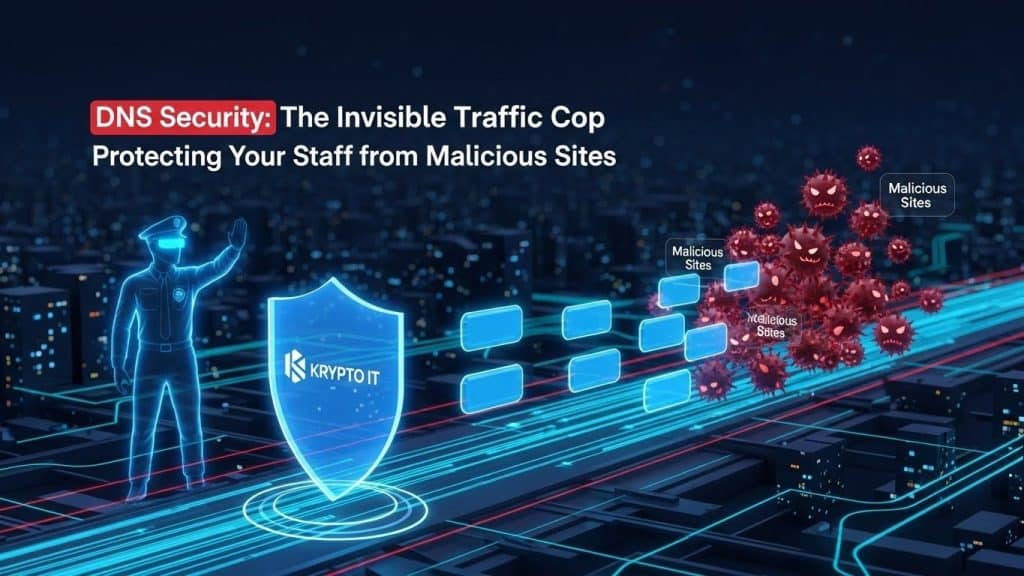
By the Team at Krypto IT | Cybersecurity Experts Serving Houston SMBs
Every time an employee clicks a link, types a URL into their browser, or opens a cloud-based application, a complex, invisible process happens in the background. This process is called DNS (Domain Name System).
Often referred to as the “phonebook of the internet,” DNS is what translates human-friendly names (like www.kryptoit.com) into the numerical IP addresses that computers use to find each other (like 192.168.1.1). Because this process happens automatically and instantly, most small to medium-sized businesses (SMBs) never give it a second thought.
However, cybercriminals give it a lot of thought. By targeting this invisible translation process, attackers can redirect your employees to fake websites, deliver malware, or steal credentials—all before your firewall even realizes something is wrong.
At Krypto IT in Houston, we view DNS security as a fundamental layer of the “defense-in-depth” strategy. This guide explores why your DNS needs a “traffic cop” and how this simple layer of protection can stop most cyberattacks before they ever reach your network.
The Vulnerability: How Hackers Exploit the “Phonebook”
DNS was designed in an era when the internet was a smaller, more trusted place. As a result, standard DNS queries are often unencrypted and lack authentication. This opens the door to several dangerous attacks:
1. DNS Hijacking and Poisoning
In a DNS poisoning attack, a hacker manages to insert a “fake” entry into a DNS server’s cache. When your employee tries to go to their online banking portal or a corporate cloud drive, the poisoned DNS server gives them the IP address of a malicious clone site instead.
- The Result: The employee enters their credentials into a perfect-looking fake site, and the attacker instantly has their login info.
2. Malicious Domain Redirection (Phishing)
Many phishing emails don’t lead to obvious “scam” sites. They lead to newly registered domains that have not yet been flagged by traditional security filters. If your DNS is “dumb,” it will simply take the user wherever they click, even if that destination is a known host for ransomware.
3. Command-and-Control (C2) Callbacks
When a piece of malware manages to get onto a device, the first thing it usually does is “call home” to the attacker’s server to receive instructions or upload stolen data. It does this via a DNS request. If you aren’t monitoring those requests, the malware can operate in the shadows for months.
The Solution: DNS Filtering (The Digital Traffic Cop)
DNS Security—specifically DNS Filtering—acts as a proactive bouncer for your internet traffic. Instead of using the default DNS provided by your Internet Service Provider (ISP), your business uses a secure, managed DNS provider.
How DNS Filtering Works:
- The Request: An employee clicks a link in an email.
- The Check: The request goes to the secure DNS “Traffic Cop.”
- The Analysis: The secure DNS provider checks that domain against a massive, real-time database of known malicious sites, newly registered domains, and phishing hosts.
- The Action:
- If Safe: The DNS cop translates the address and sends the user to the site instantly.
- If Dangerous: The DNS cop blocks the connection and displays a warning page. The malicious data never even touches the employee’s browser.
4 Reasons Why Your SMB Needs Secure DNS
DNS security is one of the highest-ROI investments an SMB can make because it stops threats at the very edge of the network.
1. It Blocks Phishing Before the “Bite”
Most phishing attacks rely on a user visiting a malicious link. DNS filtering can block access to these sites the moment they are identified globally, protecting your staff even if they accidentally click a suspicious link.
2. It Neutralizes Malware and Ransomware
By blocking “Call Home” requests to Command-and-Control servers, DNS security can effectively “blind” malware that has already entered your network, preventing it from downloading the encryption keys needed to launch a ransomware attack.
3. Content Filtering and Productivity
Secure DNS isn’t just about security; it’s about policy. Krypto IT can configure your DNS to block entire categories of websites—such as gambling, adult content, or high-bandwidth video streaming—ensuring your team stays focused and your network remains fast.
4. Protection for Remote Workers
With a managed DNS agent on employee laptops, the “Traffic Cop” goes wherever they go. Whether they are working from a home office or a coffee shop, their DNS requests are always filtered through your corporate security policy, providing a consistent layer of protection outside the office firewall.
Krypto IT: Managed DNS for Houston SMBs
Implementing DNS security is a simple change with profound results. Krypto IT integrates enterprise-grade DNS filtering into our managed security stack for every client.
We provide:
- Zero-Latency Protection: We use global, high-speed DNS networks (like Cisco Umbrella or DNSFilter) that are often faster than your default ISP DNS.
- Custom Security Policies: We tailor your filtering to match your business needs, blocking high-risk geopolitical zones and malicious categories.
- Reporting and Visibility: We provide monthly reports showing you exactly how many threats were blocked, giving you clear visibility into the “invisible” attacks your business dodged.
Don’t let your employees wander into a dangerous neighborhood of the internet.
Contact Krypto IT today for a complimentary DNS security audit and see how our “Invisible Traffic Cop” can fortify your defenses.