Deepfake Job Applicants: The Imposter Hire Threat
September 7, 2026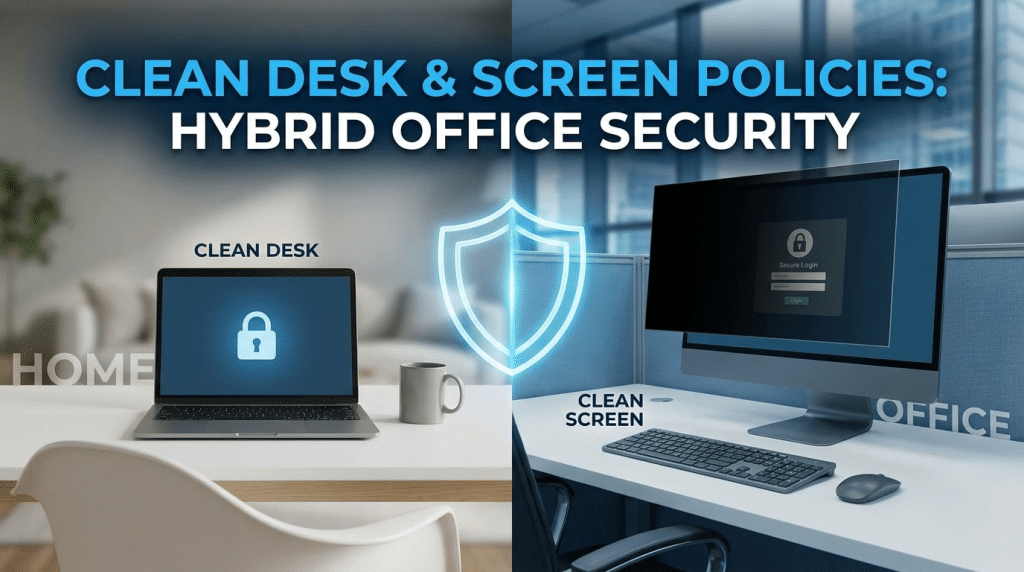
Clean Desk and Clean Screen Policies: Practical Physical Security for Hybrid Offices
When business leaders evaluate cybersecurity threats, the conversation naturally centers on digital defenses: firewalls, endpoint detection and response (EDR), multi-factor authentication (MFA), and zero-trust access controls. Millions of dollars are spent securing external perimeters against remote cybercriminals.
However, organizations frequently overlook one of the simplest, oldest, and most catastrophic entry points: the physical workspace.
With the permanent rise of hybrid work models, the physical threat surface has expanded. Today’s workforce transitions fluidly between open-plan corporate headquarters, hot-desking setups, home offices, airport terminals, and crowded local coffee shops. In these uncontrolled environments, a sticky note containing credentials, an unlocked laptop left unattended for coffee, or an exposed printed client contract completely bypasses complex digital protections.
Implementing practical Clean Desk and Clean Screen policies provides the vital physical foundation needed to secure sensitive corporate intelligence across modern hybrid workflows.
The Physical Security Vulnerabilities of Hybrid Work
Hybrid workplaces introduce distinct physical security risks that traditional cubicle layouts never faced:
1. The Hot-Desking and Shared Desk Dilemma
In modern hybrid offices, assigned seating has largely been replaced by flexible shared desks. Multiple employees, temporary contractors, and visiting vendors rotate through the exact same workstation within a single week. If an employee leaves printed invoices, notes containing system IP addresses, or unencrypted USB thumb drives in desk organizers, that data is exposed to anyone sitting down next.
2. “Shoulder Surfing” in Public and Semi-Public Spaces
Employees frequently work while traveling or sitting in third spaces. A bad actor sitting two tables away in a cafe or an aisle behind on a flight can easily film keystrokes, photograph financial spreadsheets on an open display, or read sensitive legal emails.
3. Janitorial, Maintenance, and Visitor Exposure
Corporate facilities host visitors, delivery couriers, cleaning crews, and third-party maintenance staff outside standard business hours. Leaving sensitive files or client records on desktops overnight grants unauthorized individuals unmonitored visual access to proprietary data.
4. Regulatory and Compliance Liabilities
Data privacy regulations—including HIPAA, GDPR, PCI-DSS, and SOC 2—explicitly mandate controls over physical access to protected information. An uncollected print job sitting in a hallway printer tray is a direct compliance violation that can trigger severe fines during an audit.
Core Guidelines for a Practical Clean Desk Policy
A clean desk policy is not merely about aesthetic office neatness; it is an active information governance protocol.
- Lock Down Physical Paperwork: Sensitive documents, financial audits, human resource files, and proprietary schematics must never be left unattended on desks. Whenever staff step away from their desk, paperwork must be placed in a locked drawer or personal locker.
- Implement Secure Printing Controls: Eliminate uncollected print jobs sitting indefinitely in public trays. Deploy “Follow-Me” badge-release or PIN-authenticated printing, requiring employees to physically scan their access badge at the multifunction printer before a document prints.
- Mandate Cross-Cut Shredding: Prohibit discarding sensitive paperwork into standard recycling or waste bins. Position locked shredding consoles adjacent to print stations and enforce routine destruction of working drafts and physical notes.
- Eliminate Physical Credential Storage: Ban the use of sticky notes, paper notebooks, or whiteboards for writing down passwords, PIN codes, or server addresses. Enforce the use of managed enterprise password vaults with zero-knowledge encryption.
- Secure Removable Storage: USB drives, external SSDs, backup tapes, and company smartphone devices must be locked away when not actively in use.
Core Guidelines for a Practical Clean Screen Policy
A clean screen policy ensures that digital data displayed on monitors and mobile devices remains visible solely to authorized eyes.
- Automated Lockout Timers: Configure centralized endpoint policies (via Mobile Device Management or Group Policy Objects) that automatically lock device displays after a maximum of three to five minutes of inactivity.
- The “Lock Before You Walk” Rule: Train employees to manually lock screens every single time they stand up—using quick operating system shortcuts like Windows Key + L or Control + Command + Q on macOS. This action should become an involuntary muscle memory habit.
- Privacy Screen Filters in Public Spaces: Mandate polarized privacy screen filters for all staff traveling with corporate laptops or working in public spaces. These filters narrow the viewing angle, blacking out the screen to anyone not looking directly head-on.
- Monitor Positioning in the Office: Position shared monitors and executive desks so screens face away from high-traffic hallways, ground-floor exterior windows, and public visitor waiting areas.
- Notification Silencing During Presentations: Require staff to mute desktop notifications, Slack alerts, and calendar reminders when sharing screens during virtual video calls or conference room presentations to avoid leaking customer names or internal memos.
Making the Policies Stick Without Hurting Culture
Policies fail when they are viewed as draconian micromanagement. To build genuine buy-in across hybrid teams:
- Provide the Right Hardware Tools: Supply employees with locking desk drawers, branded privacy screen filters, cable locks, and enterprise password managers so compliance is effortless.
- Conduct Friendly “Clean Desk Sweeps”: Run periodic, positive physical audits. Leave friendly reminder cards or small incentives for employees who consistently maintain spotless, secured desks.
- Lead by Example: Executive leadership must hold themselves to the same standards, locking their screens and keeping their desks clear when stepping into meetings.
Reinforce Physical and Digital Defense with Krypto IT
Effective cybersecurity protects data everywhere it travels—across cloud servers, encrypted endpoints, and the physical desks where your team works every day.
At Krypto IT, we help Houston and hybrid organizations establish holistic security postures, combining robust technical endpoint controls and Mobile Device Management (MDM) with practical employee governance policies.
Is your hybrid workspace leaving sensitive data exposed to physical compromise? Contact Krypto IT today to schedule a comprehensive physical and digital security assessment.