Firmware Security: The Hidden Small Business Risk
July 27, 2026
Secure Hardware Disposal: Safe Laptop Retirement
July 29, 2026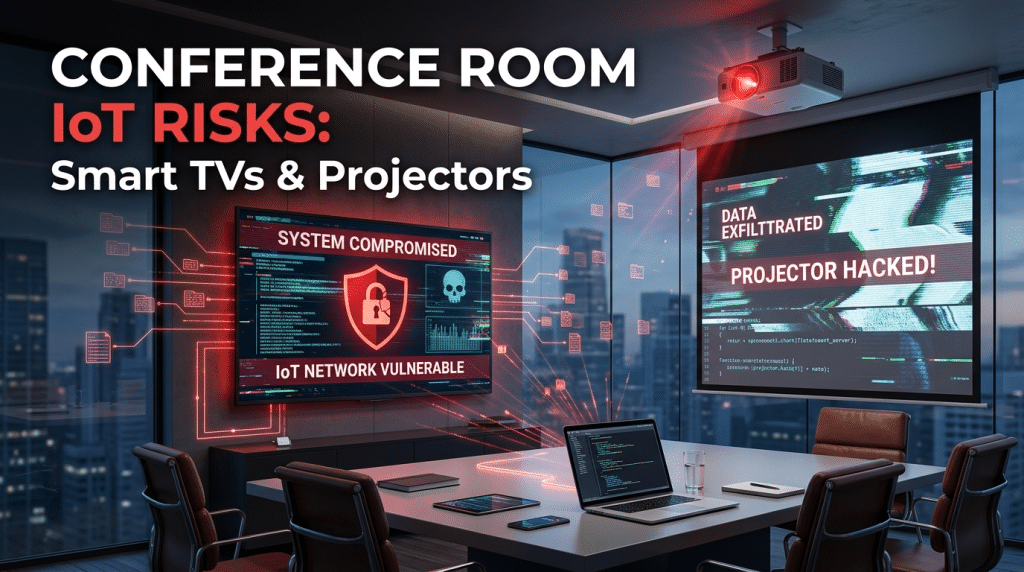
Smart TVs and Office Projectors: The IoT Weak Links in Your Conference Room
Walk into almost any modern conference room or executive boardroom, and you will find sleek high-definition smart TVs, networked wireless projectors, video bars, and interactive whiteboards. These devices have made presentations, remote video calls, and collaborative meetings effortless. However, behind those bright screens lies a significant, frequently overlooked threat to corporate network security.
Smart displays and office projectors are not just output monitors—they are fully functional computers running embedded operating systems, connected to your corporate Wi-Fi or Ethernet network. Because they fall under the umbrella of Internet of Things (IoT) devices, they rarely receive the same strict security management as employee laptops, mobile devices, or corporate servers.
For cybercriminals, an unmonitored conference room TV is an ideal, low-resistance entry point into your business.
Why Conference Room AV Equipment Is a Security Risk
Most small and mid-sized businesses spend significant resources securing traditional endpoints with Endpoint Detection and Response (EDR) software, multi-factor authentication, and strict password policies. Unfortunately, IoT devices in meeting rooms are almost universally left out of these defenses.
1. Consumer Operating Systems with Unpatched Vulnerabilities
Many commercial smart TVs, projectors, and digital signage boards run modified versions of Android, webOS, or proprietary Linux-based systems. Manufacturers frequently stop releasing security patches for older hardware long before the display itself wears out. When new security vulnerabilities are discovered in these embedded operating systems, your conference room TV remains permanently vulnerable.
2. Dual-Network Exposure
Conference room projectors and smart TVs are often configured to allow screen sharing from guest laptops, personal smartphones, and employee devices simultaneously. If a smart TV is plugged directly into your primary corporate network while also accepting incoming connections via Wi-Fi Direct, Bluetooth, or an unsegmented guest network, it creates a dangerous bridge. An attacker who gains access to the display can pivot directly past your firewall onto your internal servers.
3. Built-In Microphones and Cameras
Modern conference room displays and smart projectors frequently come equipped with integrated webcams, ambient microphones, and voice-command features. If malware infects the display’s firmware or operating system, malicious actors can remotely activate these sensors. This allows eavesdroppers to listen in on confidential financial discussions, contract negotiations, and executive strategy sessions without leaving a trace.
4. Default Credentials and Exposed Interfaces
Out of the box, many network-connected projectors and smart displays ship with default administrative passwords, open remote-management ports, or enabled network protocols like AirPlay, Miracast, and UPnP. If left unmanaged, anyone sitting in your waiting room—or standing in the parking lot within range of the Wi-Fi signal—can access the device’s settings menu or deploy malicious payloads.
Real-World Impact of an IoT Breach in the Boardroom
When a conference room device is compromised, the damage goes far beyond someone interrupting a presentation with inappropriate images.
Once an attacker compromises an IoT endpoint on your primary subnet, they can use automated scanning tools to map out every other device on the network. From there, they can move laterally to target domain controllers, accounting software, cloud backup repositories, and client record databases.
Furthermore, smart TVs can be hijacked and enlisted into botnets, used to exfiltrate stolen internal documentation disguised as routine video streaming traffic, or used to drop ransomware across connected network storage drives.
Best Practices for Securing Meeting Room Tech
Securing your conference rooms does not mean returning to VGA cables and flip charts. With proper network architecture and management, you can enjoy seamless collaboration without compromising your business defenses.
At Krypto IT, we recommend implementing the following security measures for all conference room IoT hardware:
- Network Segmentation: Isolate all smart TVs, projectors, streaming dongles, and video conferencing bars on a dedicated, segmented Virtual LAN (VLAN). This VLAN should have restricted Internet access and zero direct path to sensitive corporate servers, databases, or primary employee workstations.
- Change Default Passwords: Immediately update default administrative credentials on all connected AV gear upon installation. Enforce strong, unique passwords for device management portals.
- Disable Unnecessary Connectivity: Turn off unused features such as Bluetooth, Wi-Fi Direct, voice assistants, and open casting protocols if your team does not actively use them.
- Establish a Routine Patch Management Schedule: Audit conference room equipment regularly to ensure firmware is updated to the latest manufacturer release. If a device has reached End-of-Life and no longer receives patches, plan for its replacement.
- Implement Network Access Control (NAC): Use network monitoring tools to detect unauthorized devices trying to connect to meeting room hardware or attempting abnormal lateral traffic.
Secure Your Entire Footprint with Krypto IT
True network security requires protecting every endpoint connected to your network—including the ones hanging on your office walls. Neglecting conference room IoT devices leaves a wide-open doorway for attackers to bypass your digital perimeter.
Are your conference room smart displays and projectors properly isolated from your corporate data? Contact Krypto IT today to schedule an IoT and Network Security Audit for your Houston business.