Server Room Closets: Physical Security Risks
July 26, 2026
Conference Room IoT Risks: Smart TVs & Projectors
July 28, 2026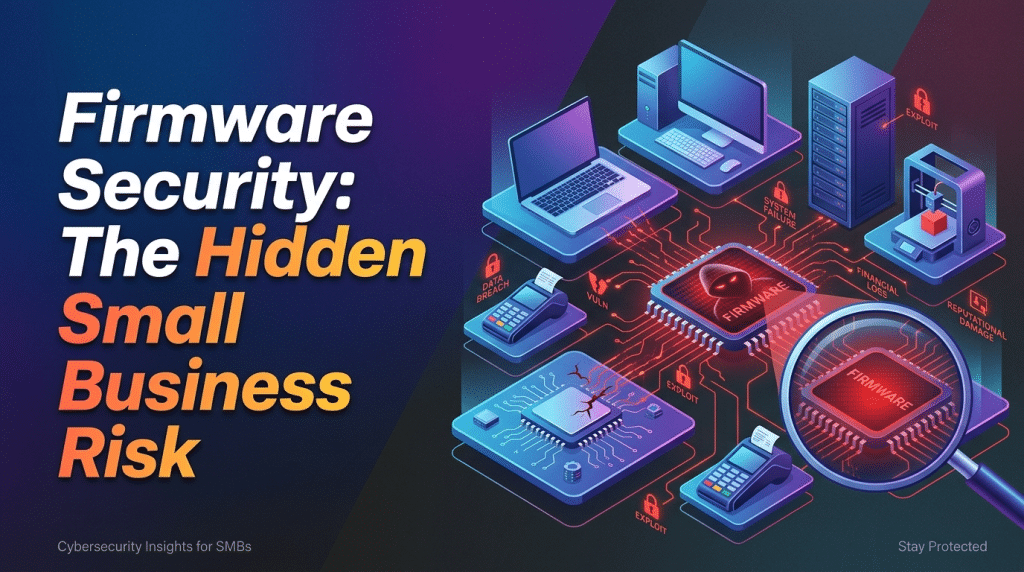
Firmware Updates: The Critical Security Step Most Small Businesses Forget
When small and mid-sized business owners think about keeping their systems updated, they almost always focus on software. We are conditioned to click “update” when Windows, macOS, or Microsoft Office prompts us. We patch our web browsers, update our accounting software, and make sure our antivirus definitions are current.
However, beneath the operating systems and software applications running on your computers, routers, and firewalls lives another critical layer of code: firmware.
Firmware is the foundational software permanently programmed into a hardware device’s read-only memory. It tells the hardware how to communicate with other devices, handle basic operations, and execute core security protocols. Because firmware operates silently in the background, out of sight and out of mind, it is frequently ignored.
For attackers, this oversight makes firmware one of the most attractive targets in modern cybersecurity.
Why Firmware Has Become a Primary Target for Hackers
In recent years, cybercriminals have shifted their focus lower down the technology stack. As software vendors have improved automated patching for operating systems and apps, breaking into a fully updated Windows PC or Mac through traditional software exploits has become more difficult.
Firmware, on the other hand, sits beneath the operating system. If an attacker successfully compromises a device’s firmware—whether on a network router, a firewall, a switch, or a motherboard—they gain control at a level that standard security tools cannot easily monitor or inspect.
The Dangers of Flawed Firmware
Ignoring firmware maintenance exposes your business network to several severe operational and security threats:
- Undetectable Persistence: Traditional antivirus programs and Endpoint Detection and Response (EDR) agents run inside the operating system. If malware infects the underlying firmware, it can remain completely invisible to your security software. Even if you completely wipe the hard drive and reinstall the operating system, the firmware infection will survive and re-infect the machine upon reboot.
- Edge Router and Firewall Vulnerabilities: Edge devices—such as your office’s main Internet router, VPN gateway, or perimeter firewall—are directly exposed to the public Internet 24 hours a day. Cybercriminals constantly run automated scripts scanning the web for known, unpatched firmware flaws in popular commercial network gear. Once breached, these devices give attackers direct, unmonitored access to your internal network.
- Bypassing Multi-Factor Authentication (MFA): Firmware-level exploits on remote access gear can allow attackers to steal session tokens, bypass authentication controls, or create hidden administrative backdoors that go completely unnoticed by office staff.
- Hardware Instability and Performance Degradation: Firmware updates aren’t just about security; they also deliver essential hardware stability fixes. Outdated firmware can cause random device crashes, intermittent network drops, component overheating, and compatibility issues with newer office technology.
The Core Challenge: Why Small Businesses Forget Firmware
If firmware is so vital, why do so many small businesses fail to keep it updated?
First, firmware lacks unified automated patching. Unlike Windows Update, which routinely delivers patches for operating systems in the background, firmware updates for networking gear, printers, storage units (NAS), and individual hardware components often require manual intervention.
Second, there is a fear of bricking devices. Applying a firmware update to a primary switch or firewall can temporarily take the office offline. If an update fails midway due to a power loss or improper configuration, it can render the hardware permanently unusable—a state known as “bricking.” Fearing potential downtime, many internal IT teams adopt an “if it isn’t broken, don’t touch it” mentality.
Third, asset visibility is low. Most small businesses simply do not have an active inventory of all the hardware connected to their environment, let alone a record of what firmware version each device is currently running.
How to Build a Routine Firmware Management Strategy
Treating firmware security as a priority does not have to be overwhelming or disruptive to your daily business operations. By establishing a structured maintenance workflow, you can systematically close these dangerous hardware-level entry points.
At Krypto IT, we recommend implementing these core practices:
- Establish a Complete Hardware Inventory: You cannot secure what you do not know exists. Document every physical device on your network, including firewalls, Wi-Fi access points, network switches, network-attached storage (NAS) drives, connected printers, and desktop PCs.
- Audit Current Firmware Versions: Regularly review manufacturer support pages for your critical infrastructure to check for published security advisories and newly released firmware versions.
- Establish Scheduled Maintenance Windows: Never apply firmware updates during active business hours. Schedule regular maintenance windows—such as late evenings or weekends—to perform updates, test system connectivity, and ensure you have rollback options available.
- Enforce Centralized Monitoring: Deploy network management and endpoint monitoring tools capable of tracking hardware-level vulnerabilities and notifying your team when a device’s firmware falls out of compliance.
- Replace End-of-Life (EOL) Gear: Hardware manufacturers eventually stop writing firmware updates for older equipment. Once a device reaches End-of-Life status, any new security vulnerability discovered in its firmware will remain permanently unpatched. Retiring and replacing legacy hardware is an essential component of modern network defense.
Secure Your Foundation with Krypto IT
A strong cybersecurity strategy requires protecting every layer of your technology stack—from the cloud applications your team uses daily down to the physical silicon chips inside your office gear. Leaving your firmware unpatched leaves a massive, unmonitored backdoor open for cybercriminals.
Unsure if your office routers, firewalls, or hardware components are running outdated, vulnerable firmware? Contact Krypto IT today to schedule a comprehensive Network and Hardware Vulnerability Audit.