How to Migrate to the Cloud Securely: A Strategic Roadmap for Houston Small Business
January 27, 2026
Stop the Snooze: Why Clicking “Remind Me Later” Is a Cybersecurity Nightmare for SMBs
January 29, 2026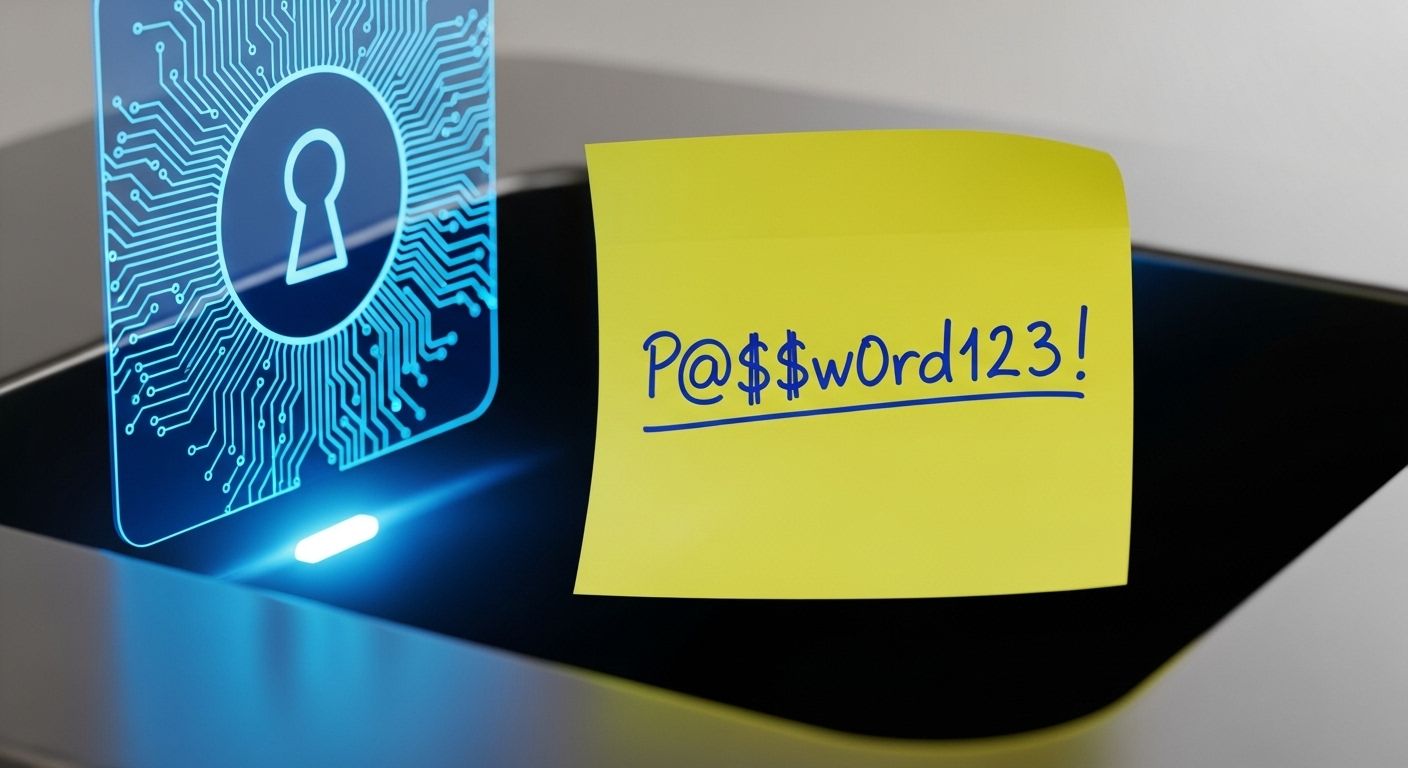
By the Team at Krypto IT | Cybersecurity Experts Serving Houston SMBs
Walk through almost any office in the Energy Corridor or Downtown Houston, and you’ll likely find a common security “artifact”: the yellow sticky note. It’s tucked under a keyboard, stuck to the side of a monitor, or hidden in a desk drawer, scrawled with a “Master Password” like Spring2025! or Company123.
As a business owner, you know this is a disaster waiting to happen. But you also know why it happens—human beings are not designed to remember 50 unique, complex strings of random characters. Without a tool to help them, your employees will choose the path of least resistance: weak passwords, reused across multiple sites.
At Krypto IT, we believe that a professional Enterprise Password Manager (EPM) is the single most important tool for closing the “Human Vulnerability Gap.” Here is our guide to choosing the right one for your Houston team.
1. The Core Philosophy: “Zero-Knowledge” Architecture
When you choose a password manager, you are trusting a company with the “keys to your kingdom.” Therefore, the most important technical requirement is a Zero-Knowledge Architecture.
In this model, the vendor (the password manager company) has no way to see your passwords. Your data is encrypted locally on your device using a “Master Password” that only you know. Even if the password manager company itself is hacked, the criminals only get a pile of encrypted gibberish.
If the vendor doesn’t offer zero-knowledge, cross them off your list immediately.
2. Administrative Control: Onboarding and Offboarding
A personal password manager (like the one built into Chrome or Safari) is fine for a single user, but it is a nightmare for a business. For a Houston SMB, you need Administrative Oversight.
When an employee leaves your company, you shouldn’t have to wonder if they still have the login for your corporate bank account or your client CRM. A team password manager allows an admin to:
- Provision Accounts: Instantly create secure vaults for new hires.
- Revoke Access: Instantly lock a departing employee out of all company credentials with one click.
- Force Security Policies: Require that all employees use Multi-Factor Authentication (MFA) to access their vault.
3. Secure Sharing: The “Shared Vault” Feature
Modern business in Houston relies on collaboration. Your marketing team needs access to Instagram; your accounting team needs access to the bank; your project managers need access to the bidding portal.
The “old” way of sharing passwords was via unsecure Slack messages, emails, or—worse—physical notes. A team password manager uses Shared Vaults. This allows you to share access to a specific set of credentials with a specific group of people without them ever seeing the actual password. They can “Auto-fill” the login, but they never see the characters. This prevents “credential leakage” if that employee moves to a competitor.
4. Cross-Platform Sync and Ease of Use
If a security tool is hard to use, your team will find a way to bypass it. In 2026, your team is mobile. They are working on laptops in the office, tablets at home in Katy, and smartphones while visiting clients in The Woodlands.
The right password manager must have:
- Browser Extensions: For seamless auto-fill on Chrome, Edge, and Safari.
- Mobile Apps: That integrate with iOS and Android biometrics (FaceID/Fingerprint).
- Offline Access: The ability to access critical passwords even if the internet goes down.
5. Breach Monitoring and Reporting
The best password managers do more than just store data; they act as a “Security Watchdog.” They should constantly scan the Dark Web to see if any of your employees’ email addresses or reused passwords have appeared in a recent data breach.
If a breach is detected, the manager should alert the admin and the user immediately, prompting an urgent password rotation before a hacker can use the leaked info to enter your network.
How Krypto IT Simplifies Your Choice
Choosing the software is only half the battle; the other half is Implementation. At Krypto IT, we help Houston businesses roll out password management without the “tech headache”:
- Selection Guidance: We help you choose between the “Big Three” (Bitwarden, 1Password, or Keeper) based on your specific industry needs (HIPAA, legal, etc.).
- Guided Setup: We help you import your existing (messy) data and clean it up.
- Employee Training: We show your team how to use the tool so it becomes a “productivity booster” rather than a chore.
- MFA Integration: We tie your password manager into your existing identity provider (like Microsoft Entra ID) for seamless, secure access.
Conclusion: Take the Target Off Your Back
In the world of cybercrime, weak passwords are “Low-Hanging Fruit.” By implementing a team password manager, you aren’t just making life easier for your employees—you are removing a massive target from your business’s back.
Still using sticky notes or the “same three passwords”? Contact Krypto IT today for a “Credential Security Audit” and let’s get your Houston team on the path to total protection.