Remote Wipe: Your Last Resort in a Lost Device Scenario
December 4, 2025
Don’t Be the Weak Link: Securing Your Supply Chain (The Vendor Risk)
December 8, 2025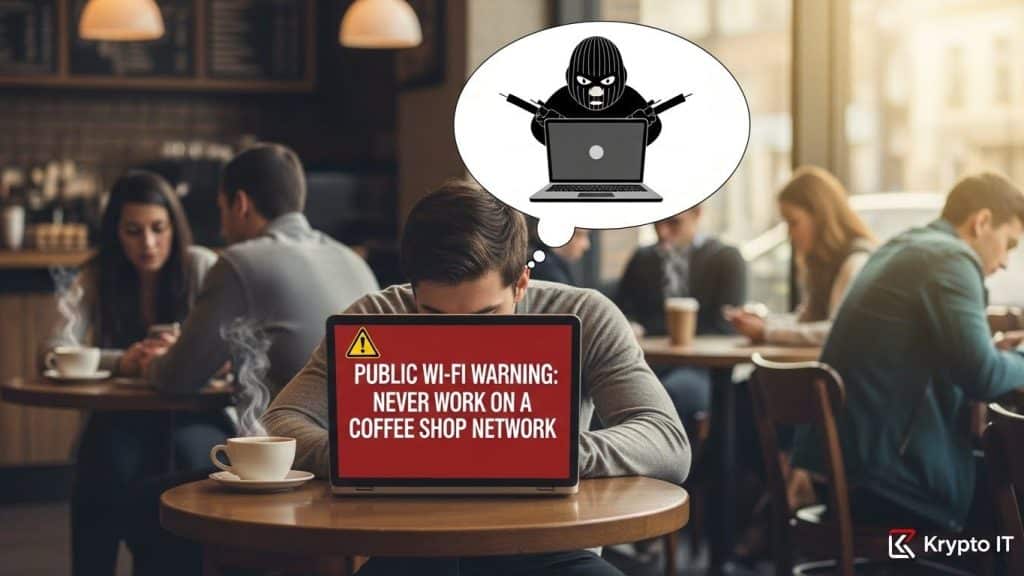
By the Team at Krypto IT | Cybersecurity Experts Serving Houston SMBs
The image is classic: an employee working diligently at a coffee shop, laptop open, fueled by caffeine. For small to medium-sized businesses (SMBs) with flexible workforces, this seems like harmless productivity. Yet, that seemingly innocuous public Wi-Fi network—at the cafe, airport, or hotel—is arguably one of the biggest, most common security threats your business faces.
Public Wi-Fi is built for convenience, not security. When your employee connects their corporate laptop or mobile device to an unsecured hotspot, they are exposing your entire network and sensitive client data to a multitude of silent, high-risk attacks.
At Krypto IT in Houston, we want to be clear: your team should never handle sensitive business data over a public Wi-Fi network without extreme precautions. This guide breaks down the three main threats and outlines the non-negotiable protections required to secure your remote team.
The Three Dangers Lurking on Public Wi-Fi
Public Wi-Fi often lacks the basic encryption and authentication required for secure data transfer, making it a playground for cybercriminals.
1. Man-in-the-Middle (MITM) Attacks
This is the most common danger. A criminal can set up a fake Wi-Fi network with a name that looks legitimate (“Airport Free Wi-Fi” vs. the real “Airport-Free-Wi-Fi”). When your employee connects to the fake network, all their data—emails, logins, and documents—is routed through the criminal’s computer first.
- The Result: The attacker can eavesdrop on every action, intercepting passwords and session cookies that allow them to impersonate the employee and steal data.
2. Session Hijacking and Snooping
Even on a legitimate public Wi-Fi network, if the website or application your employee is accessing doesn’t use proper encryption (HTTPS), the data traveling between the laptop and the router is unencrypted. A hacker sitting nearby can use free tools to “snoop” on the traffic, capturing login credentials and sensitive business communications.
- The Result: A criminal can steal an active session cookie, taking over the employee’s logged-in account (e.g., their cloud storage or email) without needing the password.
3. Malware Injection and Worms
Some public Wi-Fi networks allow connected devices to communicate freely with each other. If one laptop on the network is infected, that malware can easily scan the other connected devices (including your employee’s corporate machine) for known, unpatched vulnerabilities.
- The Result: The malware can use a network exploit (like those used in WannaCry) to jump directly from the infected device to your employee’s laptop, gaining a direct foothold inside your corporate asset.
The Non-Negotiable Protection: The Corporate VPN
The single most effective tool for mitigating all three of these threats is the mandatory use of a corporate Virtual Private Network (VPN).
A VPN creates an encrypted tunnel between the employee’s device and your company’s secure network. All data passing through that public Wi-Fi network is encrypted before it leaves the laptop. Even if an attacker is running a fake hotspot or snooping on the traffic, all they see is scrambled, unreadable gibberish.
Krypto IT mandates that any employee accessing corporate email, cloud drives, or internal applications from a remote location must use a professional, company-approved VPN.
4 Rules for Securing Your Remote Team
To protect your SMB from the public Wi-Fi risk, policy and technology must work together:
1. Mandatory VPN Policy
This must be the central rule for all remote access. The VPN should be configured to connect automatically before allowing access to any corporate resource.
2. Employee Training on Spotting Rogue Networks
Train employees to be suspicious of any network that seems unusual, requires too much personal information, or asks for credit card details. Educate them on the importance of confirming the correct network name.
3. Multi-Factor Authentication (MFA) Everywhere
Even if a hacker manages to capture credentials (passwords) through a MITM attack, Multi-Factor Authentication (MFA) stops them from logging in. Since the hacker doesn’t have the employee’s phone to provide the second code, the login attempt fails.
4. Enable Mobile Hotspot Use as the Alternative
If a corporate VPN is unavailable, encourage employees to use their secured smartphone hotspot (4G/5G) rather than public Wi-Fi. A personal, carrier-encrypted mobile hotspot is significantly safer than an unsecured public network.
Krypto IT: Your Perimeter Management Partner
For the SMB owner, ensuring every employee adheres to these rules and that all devices have a properly configured VPN and MFA can be a daunting management task.
Krypto IT specializes in managing this dispersed workforce risk:
- Centralized VPN Management: We deploy and manage secure, enterprise-grade VPN solutions for every device.
- MDM Enforcement: We use Mobile Device Management (MDM) to enforce security policies (like device encryption and MFA) on all laptops and phones that connect remotely.
- Continuous Awareness: We provide the mandatory Security Awareness Training your team needs to understand the risks of public environments.
Don’t let the quest for a quiet workspace expose your most critical data. Let Krypto IT provide the secure connection your remote workers need to be productive and protected.
Ready to secure your remote workforce? Contact Krypto IT today for a complimentary remote access security assessment.