Conference Room IoT Risks: Smart TVs & Projectors
July 28, 2026
Network Segmentation: Guest Wi-Fi vs POS Security
July 30, 2026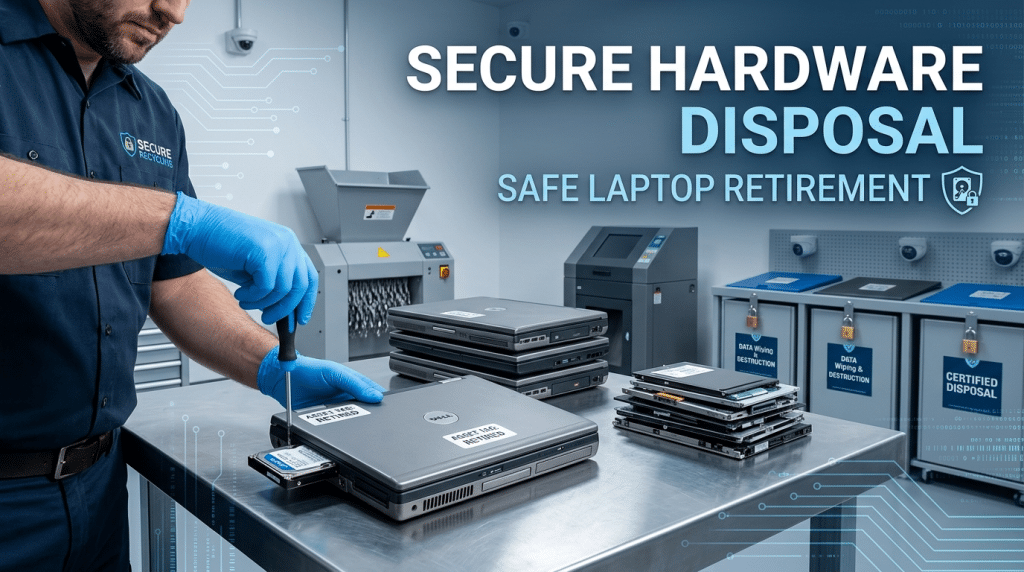
Secure Hardware Disposal: How to Retire Old Company Laptops Safely
Upgrading company hardware is an exciting milestone for any growing business. Shiny new laptops mean faster processing speeds, improved employee productivity, and better performance across the board. However, when new machines arrive, an urgent question often gets sidelined: what happens to the old devices being replaced?
For many small and mid-sized businesses, old laptops end up stacked in a storage closet, handed down to interns without a proper wipe, or tossed straight into the recycling bin. Every single one of these habits creates a massive, unnecessary cybersecurity risk.
A discarded corporate laptop is a treasure trove of sensitive information. Even if a computer no longer powers on smoothly or feels completely outdated, the internal storage drive still holds client data, financial records, employee credentials, proprietary intellectual property, and saved network access keys. Simply dragging files to the Trash or running a quick factory reset is nowhere near enough to protect your business.
The Common Myths of Deleting Company Data
When retiring old laptops, non-technical staff and even well-intentioned IT hobbyists frequently rely on data removal methods that offer zero real protection against modern data recovery tools.
Myth 1: “Reformatting the Hard Drive Erases Everything”
Reformatting a drive or resetting Windows merely deletes the file pointers—the index that tells the operating system where data lives. The actual data remains intact on the storage sectors until it is overwritten by new information. Inexpensive, freely available recovery software can pull confidential files off a reformatted laptop drive in minutes.
Myth 2: “The Computer Doesn’t Power On, So Data Is Safe”
A failed motherboard, broken screen, or dead battery does not mean the hard drive or Solid State Drive (SSD) is damaged. Cybercriminals and identity thieves frequently acquire non-functional corporate hardware, extract the physical storage drive, and connect it to another machine to retrieve intact company files.
Myth 3: “Throwing It in E-Waste Disposal Is Safe Enough”
Dropping retired equipment off at a generic local recycling center without certified data destruction puts your data in unverified hands. If an unencrypted laptop is stolen in transit or resold whole by an unvetted vendor, your company remains legally responsible for any resulting data breach.
Regulatory and Compliance Consequences
Failing to securely retire company hardware isn’t just a technical oversight—it carries severe legal and financial repercussions.
Depending on your industry, improper disposal of media containing sensitive information directly violates key regulatory frameworks, including:
- HIPAA: Exposing protected health information on retired medical office devices results in steep federal fines and mandatory breach notifications.
- PCI-DSS: Retaining unencrypted payment card information on old retail or service hardware leads to heavy non-compliance penalties and revoked processing abilities.
- FTC Safeguards Rule & State Privacy Laws: Texas businesses handling consumer financial or personal data must maintain strict physical and digital safeguards through the entire lifecycle of a device, including end-of-life disposal.
Beyond regulatory fines, a breach stemming from discarded hardware permanently damages your corporate reputation, shatters client trust, and can trigger costly civil litigation.
The Step-by-Step Standard for Safe Laptop Retirement
To ensure zero risk of data leakage when decommissioning old company laptops, businesses must adhere to a strict hardware lifecycle workflow.
- Audit and Inventory Track: Before retiring any equipment, update your asset management system. Record the serial number, asset tag, primary user, and drive type of every laptop scheduled for retirement.
- Revoke Access and Licenses: Remove the device from your corporate Active Directory or cloud identity manager (such as Microsoft Entra ID or Google Workspace). Deauthorize software licenses and revoke stored multi-factor authentication tokens tied to the hardware.
- Perform DoD or NIST Compliant Data Wiping: For drives intended for reuse or trade-in, use enterprise-grade wiping tools that comply with NIST SP 800-88 standards. This process overwrites every sector of the drive multiple times with random patterns, rendering recovery mathematically impossible.
- Physical Destruction for High-Risk Hardware: If a drive contains extremely sensitive intellectual property or is too degraded for software sanitization, physical destruction is mandatory. Industrial degaussing (for magnetic drives) or physical shredding down to miniature particles ensures absolute destruction.
- Obtain a Certificate of Destruction: Always partner with a certified IT Asset Disposition (ITAD) provider. Upon destruction, insist on receiving a formal Certificate of Destruction that links the specific serial number of each drive to its verifiable disposal.
Secure Your Asset Lifecycle with Krypto IT
Retiring corporate hardware should give your leadership team peace of mind, not sleepless nights worrying about a compliance audit or data leak.
At Krypto IT, we help Houston businesses build robust hardware lifecycle strategies. From enforcing drive encryption while devices are active to managing certified end-of-life sanitization and disposal, we ensure your data stays protected every step of the way.
Planning a hardware refresh for your team? Contact Krypto IT today to implement a secure hardware retirement protocol.