The Future of Passwords: Moving Towards Biometrics and Passkeys
December 11, 2025
When to Hire a Pro: Knowing When You Need an External Security Audit
December 13, 2025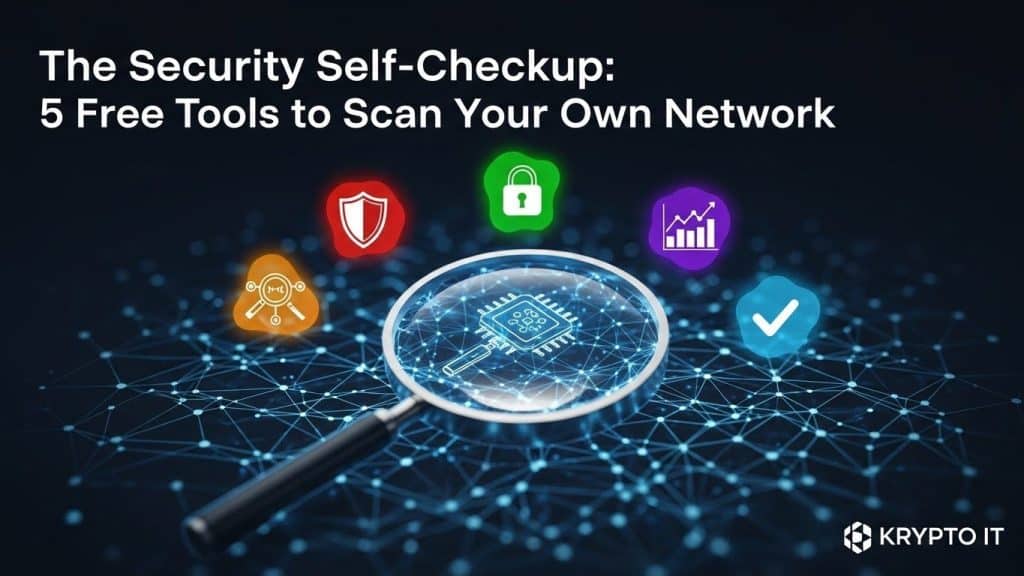
By the Team at Krypto IT | Cybersecurity Experts Serving Houston SMBs
For small to medium-sized businesses (SMBs), cybersecurity can feel like an overwhelming expense. While advanced, continuous security monitoring from a partner like Krypto IT is essential for long-term protection, there are immediate, proactive steps you can take today to find—and fix—basic security flaws.
Think of it as a DIY oil change before taking your car to the mechanic.
Before a professional audit, every SMB owner and IT administrator should use accessible, reputable tools to perform a preliminary security self-checkup. This exercise helps you understand your most glaring public-facing vulnerabilities, often related to outdated software or simple misconfigurations.
At Krypto IT in Houston, we encourage a proactive defense posture. Here are five powerful and free tools you can use right now to scan your own systems for common security weaknesses.
1. Google’s Free Website Security Scanner (via Search Console)
Your website is often the first public-facing asset a hacker analyzes. If your site is running outdated software or has been secretly compromised, Google will notice.
- What it does: While not a deep vulnerability scanner, Google Search Console’s Security Issues report checks for basic compromises, such as hidden malware, malicious redirects, and evidence of phishing pages hosted on your domain.
- Why it matters: If Google flags your site as compromised, it can trigger browser warnings for users, crippling your business reputation and traffic instantly.
- Actionable Step: Register your business domain with Google Search Console and check the “Security Issues” section frequently.
2. SSL/TLS Server Test (Provided by SSL Labs/Qualys)
Every professional website must use HTTPS (secured by an SSL/TLS certificate) to encrypt traffic between your site and the visitor. However, just having HTTPS is not enough; the security settings of that encryption can be weak or outdated.
- What it does: This free online tool scans your public-facing web server and assigns a grade (A+ through F) based on its configuration, checking for outdated protocols (like TLS 1.0/1.1) and known vulnerabilities in the cryptography.
- Why it matters: A poor grade (C or lower) indicates that sophisticated attackers could potentially decrypt traffic, exposing data or credentials.
- Actionable Step: Use this tool on your domain. If you receive a grade lower than an A, contact your hosting provider immediately to update your TLS settings and encryption ciphers.
3. Microsoft Baseline Security Analyzer (MBSA – For Windows Environments)
Many SMBs run local Windows servers or a fleet of Windows desktops. Ensuring these systems are properly configured and patched is paramount.
- What it does: MBSA scans local or remote Windows machines for common security misconfigurations, missing security updates (patches), and weak password policies. It is a fundamental check for the basic hygiene of your Windows infrastructure.
- Why it matters: Unpatched software is the #1 entry point for ransomware and viruses. MBSA helps flag systems that have fallen behind on essential updates.
- Actionable Step: Run MBSA on a sample of your user workstations and servers to check the consistency of your patch management efforts.
4. Have I Been Pwned? (Checking for Breached Credentials)
Credential Stuffing relies on reused passwords stolen from public data breaches. This tool checks if any corporate email addresses have been compromised in a known breach.
- What it does: This searchable database allows you to enter your corporate domain (e.g., @kryptoit.com) to see a list of associated emails that have appeared in public data breaches.
- Why it matters: If an employee’s corporate email is found in a breach, it means their password for that breached site is public. If they reused that password for their Microsoft 365 or VPN login, your corporate network is exposed.
- Actionable Step: Check all employee email addresses immediately. Any flagged accounts require a mandatory, immediate password change and the enforcement of Multi-Factor Authentication (MFA).
5. Nmap (Network Mapper – For Basic Port Scanning)
Nmap is a foundational tool used by network administrators and hackers alike to explore a network. While it is complex, a basic public scan is incredibly revealing.
- What it does: Nmap scans a public IP address (the IP address your office uses) and reports back which ports are open and visible to the public internet.
- Why it matters: Open ports are doors. You should only have necessary services exposed (like your website port 443). If you see unexpected ports open (like RDP port 3389 or FTP port 21), it means a hacker could attempt to connect directly to an internal server, bypassing your firewalls.
- Actionable Step: Perform a basic Nmap scan on your public IP. If you see unnecessary ports open, you need to contact Krypto IT immediately to configure your firewall properly.
The Limitations of the Self-Checkup
These free tools are excellent for spotting common, low-hanging fruit—the basic mistakes that account for 80% of breaches. However, they are not a replacement for professional, continuous security monitoring.
They cannot:
- Detect sophisticated malware running inside your network.
- Monitor user behavior for insider threats.
- Protect against zero-day attacks or advanced persistent threats (APTs).
The self-checkup is the first step; Krypto IT is the long-term, continuous defense your SMB needs. Use these tools to clean up the obvious vulnerabilities, and then partner with us to protect against the threats you cannot see.
Ready to move beyond the basics? Contact Krypto IT today for a comprehensive, continuous security assessment that goes deeper than any free tool can.