Free Trials Risk: Stopping Unverified Cloud Uploads
August 24, 2026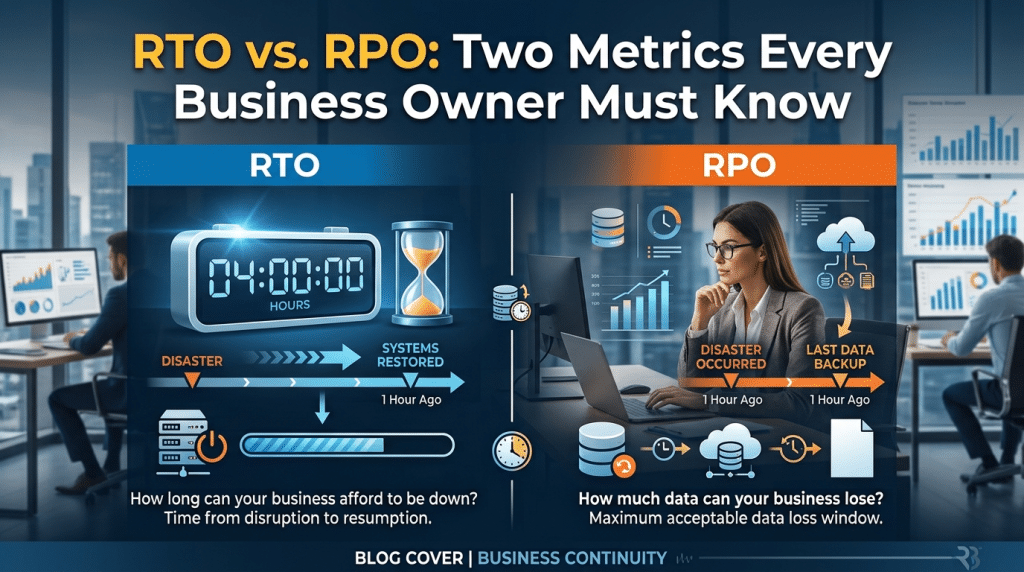
RTO vs. RPO: Two Numbers Every Business Owner Must Know to Survive an Outage
Every business owner understands that system downtime is costly. Whether triggered by a sudden ransomware attack, accidental file deletion, severe weather event, or core hardware failure, an unexpected IT outage brings operations to an abrupt halt. Employees cannot process orders, customers cannot access services, and revenue stops flowing.
When discussing business continuity and disaster recovery, many executives assume that simply “having a backup” is enough. They believe that as long as files are copied somewhere in the cloud, the business is safe.
However, having backups does not automatically mean your business can recover quickly—or completely. To build a true disaster recovery strategy that guarantees survival, you must define two foundational operational metrics: Recovery Time Objective (RTO) and Recovery Point Objective (RPO).
These two numbers determine exactly how much time you can afford to lose and how much data your business can tolerate parting with during an emergency.
What Is RTO (Recovery Time Objective)?
Recovery Time Objective (RTO) is the maximum acceptable duration of time that your systems, applications, or network can remain down after a disaster before significant financial or operational damage occurs.
In simple terms, RTO answers the question: “How quickly do we need to be back up and running?”
RTO is calculated forward from the exact moment of failure to the moment operations are restored. For instance:
- If your primary line-of-business server crashes at 9:00 AM, and your RTO is 2 hours, your IT team must have systems restored, verified, and operational by 11:00 AM.
- If your recovery process takes 24 to 48 hours because you have to source replacement server hardware and download terabytes of raw data over standard internet lines, your actual recovery time has severely exceeded your objective.
Your RTO dictates the type of recovery infrastructure you need. Achieving an RTO of minutes requires instant cloud virtualization appliances, while an RTO of several days can tolerate traditional file-level downloads.
What Is RPO (Recovery Point Objective)?
Recovery Point Objective (RPO) represents the maximum age of files that must be recovered from backup storage for normal operations to resume if a system disaster occurs.
In simple terms, RPO answers the question: “How much data can we afford to lose?”
RPO is calculated backward from the moment of the outage to the timestamp of your most recent clean backup. For instance:
- If your business runs backups once every night at 11:00 PM, and a ransomware infection locks your database at 4:00 PM the following afternoon, you must roll back to the previous night’s backup.
- In this scenario, your RPO is 17 hours. Every transaction, email, customer record, and invoice generated between 11:00 PM and 4:00 PM is permanently lost and must be recreated manually.
If your organization processes hundreds of financial transactions or client orders an hour, an RPO of 24 hours is disastrous. Setting an RPO of 15 minutes ensures automated snapshots capture changes continuously throughout the working day.
The Critical Difference: Time to Recover vs. Data Lost
While RTO and RPO work together to form your disaster recovery blueprint, they address two distinct aspects of an outage:
- RTO focuses on downtime and speed: It measures the clock ticking while employees sit idle and customers wait. It is about business availability and restoring system functionality.
- RPO focuses on data loss and backup frequency: It measures the volume of work and transactions erased by the disruption. It is about data integrity and transactional preservation.
How to Determine Your Business RTO and RPO Targets
Setting realistic RTO and RPO goals requires aligning technical capabilities with business realities:
1. Calculate the True Hourly Cost of Downtime
Evaluate wages paid to idle employees, lost sales revenue, missed SLA penalties, and potential regulatory fines. Understanding your financial burn rate per hour of downtime helps you determine how low your RTO must be.
2. Tier Your Applications and Systems
Not every system requires the same recovery speed. Tier your infrastructure:
- Tier 1 (Mission-Critical): Customer portals, core databases, and primary communication platforms require near-zero RPO (continuous replication) and an RTO of under 1 hour.
- Tier 2 (Operational): Internal file shares and administrative tools can tolerate an RPO of 4 hours and an RTO of 8 hours.
- Tier 3 (Non-Essential): Archival storage or legacy systems may have an RPO and RTO of several days.
3. Move from File Backups to Image-Based Virtualization
Traditional tape or simple cloud drive syncing cannot deliver aggressive RTO and RPO targets. Modern Business Continuity and Disaster Recovery (BCDR) solutions capture full image-based snapshots every 15 minutes and can instantly virtualize servers in the cloud or on a local appliance within minutes.
4. Conduct Routine Restoration Testing
An untested disaster recovery plan is merely a theory. Regularly schedule mock disaster drills to verify that backup snapshots spin up cleanly and that your team can achieve your target RTO and RPO numbers under real-world conditions.
Protect Your Business Continuity with Krypto IT
Surviving a major IT outage comes down to preparation, clear metrics, and the right technical infrastructure.
At Krypto IT, we help Houston businesses eliminate downtime risks by implementing enterprise-grade Business Continuity and Disaster Recovery (BCDR) solutions that deliver rapid RTOs and minimal RPOs tailored to your exact operations.
Do you know how long your business could survive an unexpected outage? Contact Krypto IT today to schedule a comprehensive business continuity and disaster recovery assessment.