The Biometric Debate: Are Fingerprints & FaceID Safe?
August 3, 2026
Supply Chain Security: Knowing Your IT Hardware
August 5, 2026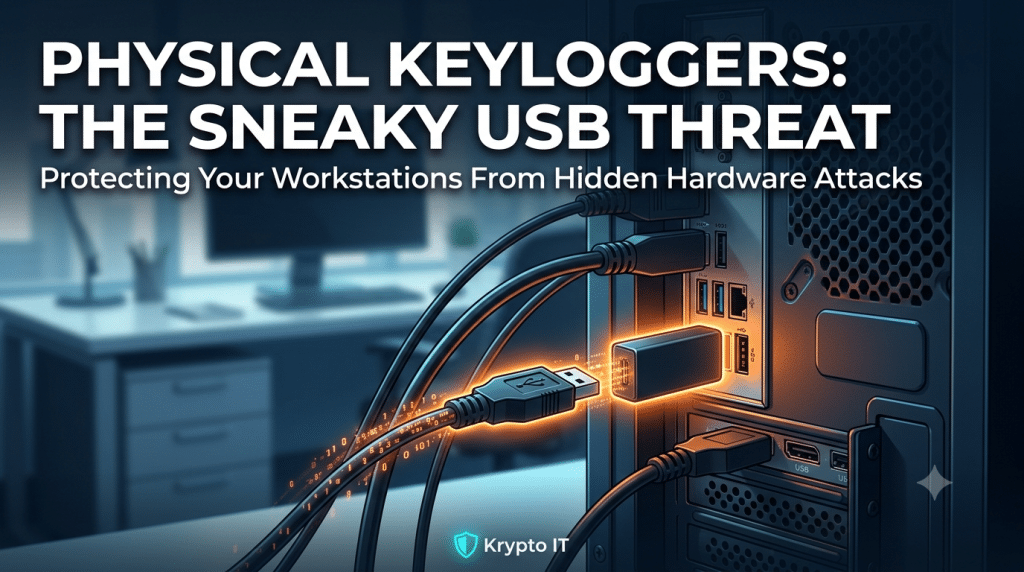
Physical Keyloggers: The Sneaky USB Drives That Don’t Belong in Your Computers
When business leaders think about cybersecurity, their minds typically leap to digital threats: phishing emails, sophisticated ransomware variants, or remote network intrusions. However, some of the most effective and damaging cyber attacks do not rely on malicious software or weak remote passwords. Instead, they exploit physical proximity through physical keyloggers—discreet hardware devices inserted directly into computer ports.
For small and mid-sized businesses (SMBs), physical security is often the weakest link in the digital defense chain. A rogue hardware device attached to an unattended workstation can record every single keystroke typed by an employee, capturing sensitive passwords, confidential customer data, and proprietary communications without leaving a single trace on the operating system.
What Is a Physical Keylogger?
Unlike software keyloggers—malware programs installed silently on an operating system—a physical keylogger is a self-contained hardware unit. Most physical keyloggers resemble harmless standard USB flash drives, compact adapter dongles, or extended cable connectors.
These devices sit inline between a keyboard and the computer’s USB port. As the user types, the physical keylogger intercepts and stores every keystroke inside its internal flash memory before passing the signal along to the computer. Because the device functions entirely at the hardware layer, the operating system remains unaware of its presence. Standard antivirus software, endpoint detection tools, and network security suites rarely detect them because no unauthorized software is running on the host machine.
How Physical Hardware Attacks Happen in Office Environments
Physical keyloggers require physical access to a machine, making office spaces vulnerable to insider threats and social engineering tactics.
Cleaning Staff and Contract Personnel
After-hours service providers, janitorial crews, and third-party vendors often have unescorted physical access to office desks and workstations. An attacker posing as a cleaning professional or technician can quietly plug a hardware keylogger into the back of a desktop computer in under ten seconds.
Unrestricted Visitor Areas
Reception areas, open floor plans, and shared conference rooms present prime opportunities for unauthorized physical access. A visitor left unattended in a waiting room or empty office can easily insert a sneaky hardware dongle into a visible computer port.
Malicious Insiders
Disgruntled employees or bribed insiders can deploy hardware keyloggers on high-value targets—such as HR workstations or finance terminals—to harvest elevated administrative credentials and corporate banking logins.
The Severe Risks of Hardware Keystroke Interception
Once a physical keylogger is installed, the potential damage to a company is severe:
- Credential Theft: The device captures master passwords, multi-factor authentication setup keys, domain controller logins, and encryption passphrases as employees type them.
- Data Exfiltration: Confidential emails, proprietary business plans, financial records, and sensitive customer records are recorded verbatim.
- Zero Digital Footprint: Because physical keyloggers store data locally on internal memory chips, they emit no strange network traffic and alter no system files. The attacker simply returns days or weeks later to retrieve the physical drive along with all logged data. Modern advanced keyloggers even broadcast recorded data over localized Wi-Fi signals to an attacker parked outside the building.
Practical Defense Strategies for Businesses
Protecting your organization from physical keylogging requires combining physical security measures, hardware controls, and employee awareness.
Conduct Regular Hardware Inspections
Establish a routine visual inspection schedule for desktop computers and workstations, particularly those located in high-traffic or public-facing areas. Train your team to check the back of desktop towers for unfamiliar dongles, strange USB attachments, or unusual cable extenders.
Secure Computer Towers and Ports
Mount computer towers inside lockable desk enclosures or use physical USB port locks to block unused inputs. Securing the physical hardware makes it impossible for an unauthorized individual to insert inline keyloggers without specialized tools.
Implement Strict Visitor Management
Enforce visitor sign-in procedures, issue visible guest badges, and ensure outside contractors or visitors are escorted by staff members at all times within working areas.
Deploy Endpoint Device Control Policies
Utilize centralized Endpoint Management to enforce policies that block unauthorized USB storage devices at the system level. While inline hardware keyloggers pass keyboard signals directly, advanced keyloggers presenting as combined storage devices can be restricted or flagged by centralized device management.
Safeguard Your Physical and Digital Boundaries with Krypto IT
True cybersecurity protects both sides of the screen. At Krypto IT, we help businesses implement comprehensive defense strategies that address both network vulnerabilities and physical security risks.
From workstation physical auditing and port blocking policies to employee security awareness training, our expert team ensures your business endpoints remain protected from silent hardware threats.
Is your office hardware truly secure from physical tampering? Contact Krypto IT today to schedule a comprehensive endpoint physical security assessment.